If you film yourself talking and want captioned shorts out the door, pick CapCut when you want a free app with lots of effects and you mostly post to TikTok or Reels from your phone. Pick Veed when you work in a browser, want AI tools next to your captions, or need brand kits and speaker detection on a paid plan. If the job is turning one raw talking-head recording into a finished, captioned short in one pass, Sycamore is a third option worth testing. We cover it at the end.
Prices and plan names below come from each company's own pages as of October 2026. Where a tool's own page doesn't show a number, we say where it came from.
Veed vs CapCut at a glance
| Veed | CapCut | |
|---|---|---|
| Paid plans (October 2026) | Creator $147 a year, Pro $265 a year, Studio $465 a year, per user, billed yearly | Standard $9.99 a month, Pro $19.99 a month (US App Store) |
| Free plan | Yes. Free exports are 720p only | Yes. Basic editing and basic captions. 4K and 60fps need Pro |
| Free trial | None listed on the pricing page we read | 7 days of Pro for new subscribers in selected regions |
| Auto captions | On every plan, with word-by-word dynamic styles | Basic on free, advanced options on Pro |
| What it does well | Browser editing, AI avatars and AI voice, brand kits and speaker detection on Pro | A free app with templates, effects and text animations, on phone, desktop and web |
| What it's missing or limits | Free plan is 720p. Speaker detection needs Pro. Paid plans include a credit allowance for AI tools | Pro-marked templates only preview on free. Library music isn't licensed for ads outside TikTok |
| Best for | Browser-first creators, people who want AI tools, small teams | Budget-first creators who post to TikTok and Reels |
Veed

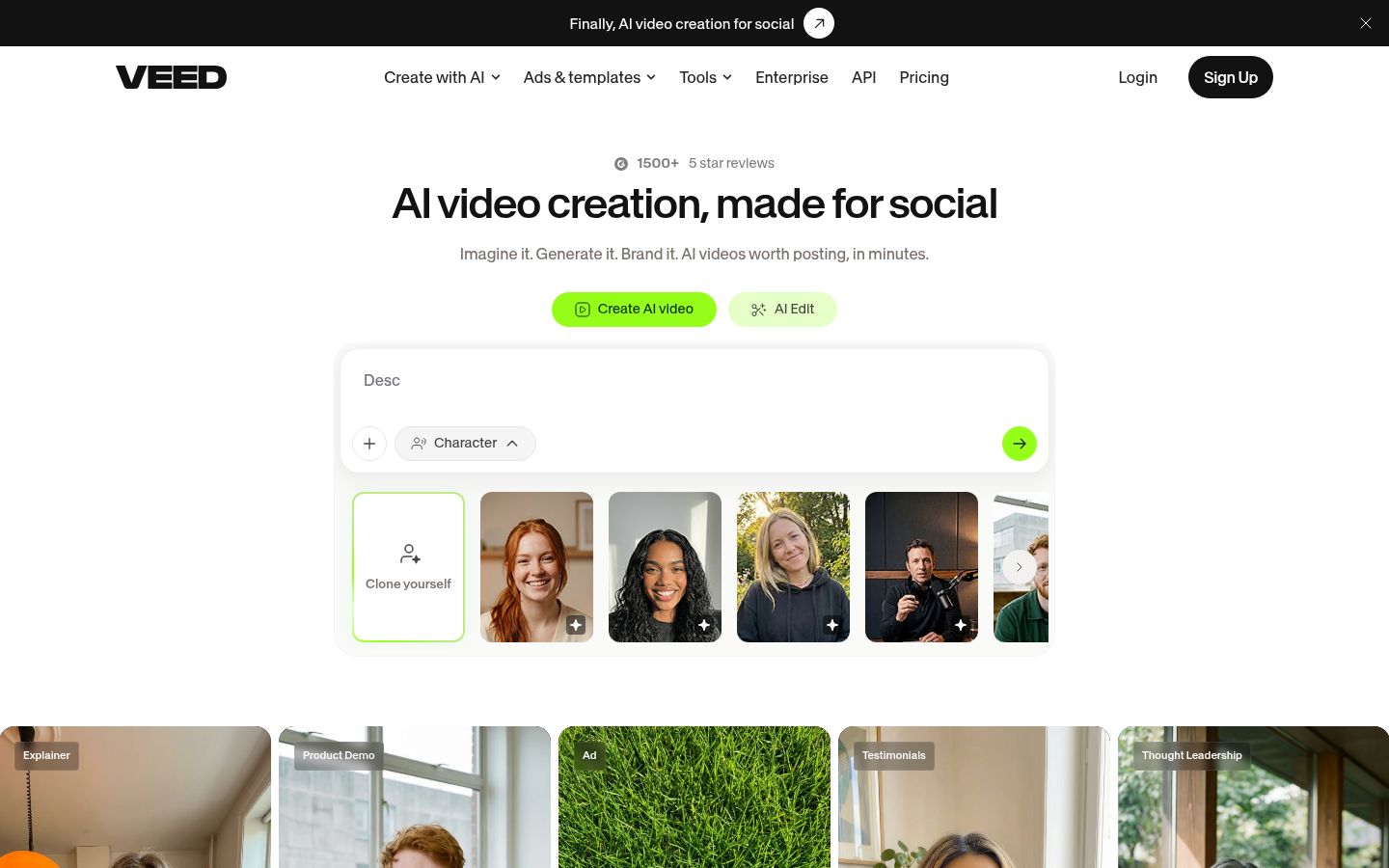
Veed is a browser-based video suite. Its homepage now leads with AI video creation, but the editor is still where talking-head work happens. Its help center describes the captioning path: from the dashboard, click Edit Video, upload your file, open the Subtitles tab, choose the language you speak, and click Auto-subtitle. Veed's help article on automatic subtitles lists those steps.
Veed has the widest set of AI tools in this comparison. Its homepage menu lists AI avatars, AI lip sync, AI voice generation, AI video generation from a prompt and AI music. If you want to generate a clip from a script, or add a synthetic voice, Veed offers those options. CapCut's menus list custom voices and text to speech too, so the gap is smaller than the list suggests.
The limits are on the export side. Free exports are 720p, Creator exports up to 1080p, and Pro, Studio and Enterprise export up to 4K, according to Veed's export help article. Veed also says Detect Speakers, the option that gives each person their own subtitle style, is a paid feature for the Pro plan or higher.
CapCut


CapCut is available as a mobile app for Android and iOS, a desktop app and a web version, according to CapCut's subscribe page. Its menus list auto captions, caption templates, speech recognition, text to speech and custom voices, along with a large set of effects and templates.
Its strength is the creative toolkit. The free plan covers everyday trimming, text, transitions and basic auto captions on mobile, desktop and web, and the captions tool page lists caption templates and speech recognition (CapCut's auto caption page). If you enjoy styling each video with trending effects and text animations, the free plan gives you plenty to work with.
The limits are on the Pro side. Pro-marked templates, effects and music show as a preview on the free plan, and exporting them needs Pro. 4K and 60fps export need Pro too. Loopdesk's October 2026 guide to CapCut Pro also reports that CapCut's library music license doesn't allow use in ads outside TikTok. If you make brand ads for other platforms, check the license before you add a library track.
If you want to see how CapCut compares with a dedicated captions app, read Captions App vs CapCut.
Editing raw talking-head footage
Both tools are timeline editors. You upload a clip, trim it, add captions and export. The difference is how much of that work you do by hand.
In Veed, the editing and captioning happen in the same project. You generate subtitles on the Subtitles tab and then adjust them. Veed's own pages describe the tools for cutting, trimming and captioning, but we couldn't confirm from its pages that it removes silences or filler words automatically, so check that in the editor before you rely on it.
In CapCut, you work the timeline yourself. Templates, effects and text animations help you dress up a video quickly. We also couldn't confirm an automatic silence or filler removal on CapCut's own pages.
If your main problem is cutting dead air and filler words out of a long raw recording, that's the job Sycamore's Magic Edit is built for. More on that below.
Captions: styles, speed and what's free
Both tools generate captions from your speech, and both let you change how they look.
Veed's dynamic subtitles are animated, word-by-word presets. Its help article names "Glide" and "Pulse" as examples and says the feature is unlimited on the plans it lists, with the feature requiring subtitles already in the project (Veed's dynamic subtitles help article). Veed's subtitle translation uses AI credits, so it's a paid extra on top of your plan.
CapCut's auto captions come with caption templates. The free plan includes basic captions on mobile, desktop and web, and the Pro plan adds advanced options, according to Loopdesk's review. If you want a caption style you can keep and reuse on every video, both tools let you save a style, but we could not confirm the exact save options on either tool's pages, so test that in the free version first.
Pricing: what each tool costs in October 2026
Veed charges per user. Veed's pricing page lists Creator at $147 a year per user, Pro at $265 a year per user and Studio at $465 a year, all billed yearly. Each paid plan includes a yearly AI credit allowance: 6,000 on Creator, 30,000 on Pro and 180,000 on Studio. Creator includes no watermark and 1080p exports. Pro adds multiple Brand Kits and translation to 50+ languages. Enterprise is custom. The page has a monthly and a yearly view, so check the toggle before you buy.
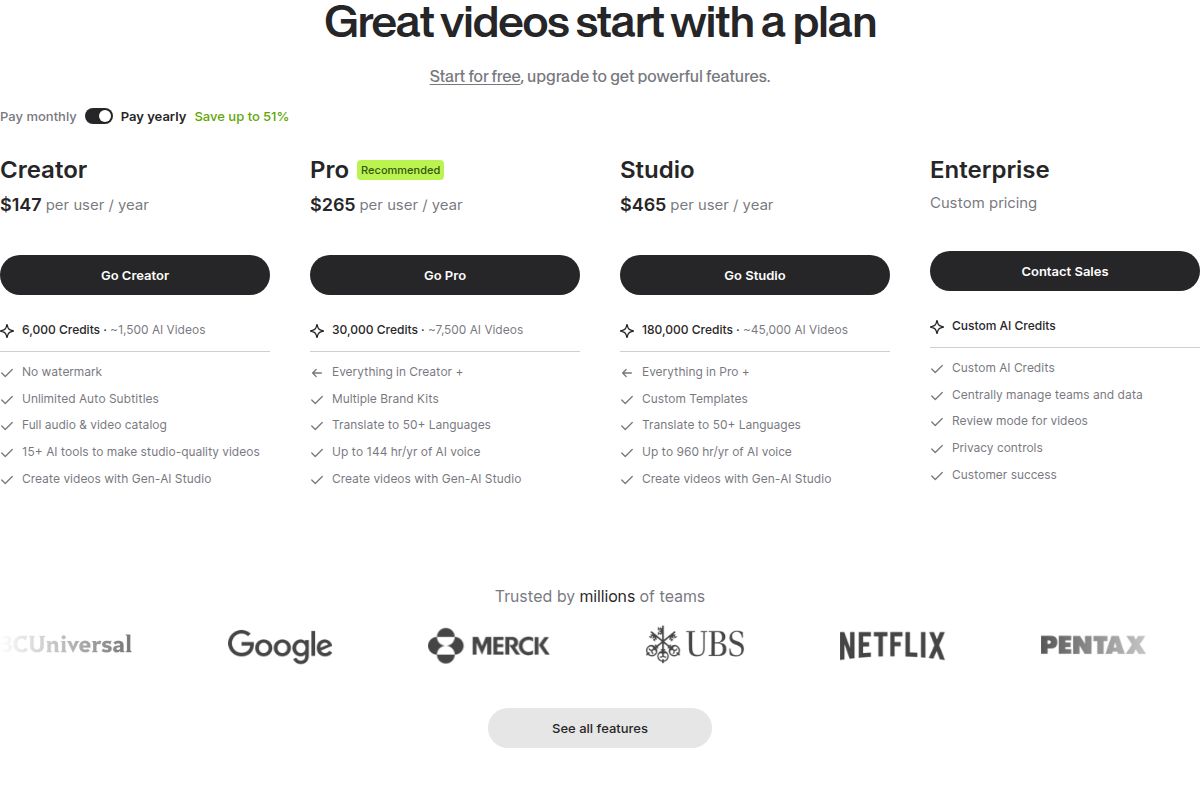 Veed pricing page showing the Creator and Pro plans
CapCut lists Standard at $9.99 a month and Pro at $19.99 a month on the US App Store, according to Loopdesk's October 2026 review. Loopdesk also lists Pro at $179.99 a year. CapCut's own pricing page wasn't readable when Loopdesk checked, and CapCut says prices vary by region, platform and promotion. Check the in-app upgrade screen for your price. New subscribers in selected regions get 7 days of Pro, as CapCut's subscribe page says.
Sycamore charges by minutes of video. The free plan gives you 10 minutes of video one time, with no credit card. Starter is $19 a month for 3 hours of video a month. Growth is $39 a month for 10 hours of video a month. Both paid plans have no watermark. See the Sycamore pricing page.
In plain terms: a creator who needs one or two hours of finished shorts a month can often pay the least on CapCut's free plan or Sycamore's Starter. A small team that needs brand kits and several editors is more likely to look at Veed's paid plans.
Ease of use
Veed runs in the browser and has apps for Android and iOS. Its help center says the export steps are the same on the web, the Android app and the iOS app. The subtitle steps are a short list of menus.
CapCut has more to explore, because the menus cover AI creation, text and audio, images and video. A 2024 thread on r/NewTubers that we could see in search results includes one commenter who said Veed is quicker and easier to use, while CapCut is more robust with more to do (the Reddit thread). That's one comment from one thread, so treat it as a signal, not a verdict. Try both free plans on the same clip to see which one you like.
Output quality
The export limits are the clearest difference. Veed's free plan exports at 720p, Creator reaches 1080p and Pro reaches 4K. CapCut's free plan doesn't export 4K or 60fps, and Pro does.
We could not find a source that rates the look of each tool's export side by side, so we won't rank visual quality. Test both free plans on the same 60-second clip, then watch the file on your phone before you decide.
Sycamore, a third option for raw talking-head footage

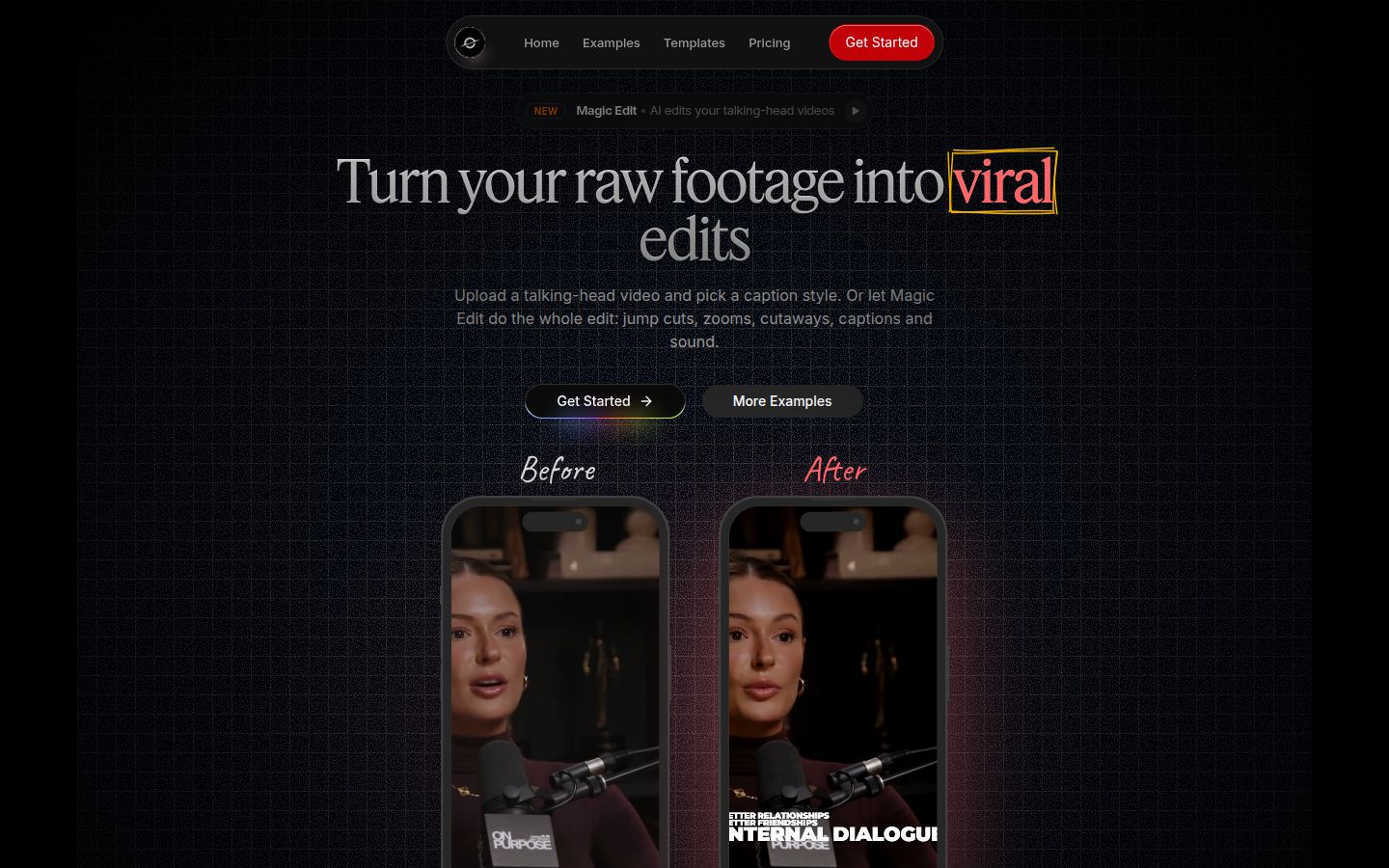
Sycamore is a web app for talking-head video. You upload a raw recording, and Magic Edit cuts out silences and filler words, adds word-synced captions, zooms, and full-screen text cutaways for key lines in one pass. You pick an edit style, currently Apollo or Hermes, then review the edit before you export. The editor works in plain words: each line can be set to Normal, Emphasis, Full screen, Number, List or Label. You can restore any cut from the transcript and export again.
Captions work on their own too. Every word is timed, you can edit any word, and you can change fonts, colors, size and animation, then save a style as a preset for later videos. Exports are MP4 in 9:16, 1:1 or 16:9.
The free plan is 10 minutes of video, one time, with no credit card. Starter ($19 a month, 3 hours of video) and Growth ($39 a month, 10 hours of video) remove the watermark.
Two limits matter for this comparison. Transcription is English only, so if your shorts are in another language, Sycamore isn't the right pick. Sycamore is a web app with no mobile app, so it runs in a phone browser rather than in an app. It also has no B-roll, AI avatars or AI voice, so if you need those, use Veed or CapCut.
Which one should you pick
Pick CapCut if you post mostly to TikTok and Reels, you film and edit on your phone, and you like to style each video with effects and templates. Start on the free plan. Move to Pro only when you need 4K or 60fps export, or the Pro-marked templates you keep running into. If you make ads for other platforms with library music, read the license first. Veed is the better pick if you need 4K on a plan you can predict, or if you want AI tools in the same place as your captions.
Pick Veed if you work in a browser on a laptop, want AI avatars, AI voice or dubbing alongside captions, or need Brand Kits and speaker detection. Creator is enough for 1080p captioned shorts. Pro is the plan with Brand Kits, speaker detection and 4K. CapCut is the better pick if the free plan is the budget you have and you want the most effects for no money.
Pick Sycamore if you film one person talking, your main job is cutting the dead air and filler words and adding captions, and you want to review the edit before you export. Start with the 10 free minutes. Don't pick it if you need languages other than English, a mobile app, or B-roll.
If you still can't decide, take the same two-minute clip through the free plans of Veed and CapCut, and through Sycamore's free 10 minutes. Then pick the one whose result you'd post without changing it.
FAQ
Is CapCut free for auto captions?
Yes. CapCut's free plan includes basic auto captions on mobile, desktop and web. The Pro plan adds advanced caption options, according to Loopdesk's October 2026 review.
What resolution does Veed's free plan export?
720p. Creator exports up to 1080p, and Pro, Studio and Enterprise export up to 4K, according to Veed's export help article.
How much does Veed cost?
On Veed's pricing page, Creator is $147 a year per user, Pro is $265 a year per user and Studio is $465 a year, all billed yearly. Check the monthly and yearly toggle on the page before you buy.
How much does CapCut Pro cost in 2026?
In the US App Store, CapCut Pro is $19.99 a month and Standard is $9.99 a month, per Loopdesk's October 2026 review. Prices vary by region and platform, so check the in-app price.
Does CapCut Pro have a free trial?
CapCut's subscribe page offers 7 days of Pro free for new subscribers, though CapCut says eligibility depends on the region.
Can I use CapCut library music in ads?
Loopdesk reports that CapCut's license doesn't allow library music in ads outside TikTok. Check the current license before you publish an ad.
Does Sycamore work on a phone?
Sycamore is a web app with no mobile app. It runs in a phone's browser. Transcription is English only.