If you film yourself talking and post short videos, Descript and CapCut are the two tools people compare first. Both can cut the ums and the dead air, and both can add captions. They get there in different ways.
Pick Descript if your recordings are long (interviews, webinars, lessons, podcasts) and you want to edit by deleting words from a transcript. Pick CapCut if you want a full visual editor with a phone app and lots of templates and effects, and you don't mind paying for Pro when you want the automatic cleanup. If you want one raw talking-head take turned into a captioned short in one pass, Sycamore is a third option, covered below.
Descript and CapCut at a glance
Prices are as of October 2026. Descript prices are per person.
| Descript | CapCut | |
|---|---|---|
| Paid plans | Hobbyist $16/month billed yearly ($24 billed monthly), Creator $24 ($35 monthly), Business $50 ($65 monthly) | Standard $9.99/month, Pro $19.99/month or $179.99/year (US App Store prices; prices vary by region, so check your checkout) |
| Free plan | Yes: 60 media minutes a month, 100 AI credits one time, 720p exports with a watermark | Yes: timeline editing, auto captions and 1080p export |
| Editing method | Text first: delete words in the transcript and the video cuts with them | Timeline first, with transcript-based editing available |
| Filler words and silences | Remove Filler Words on Hobbyist and up; Shorten Word Gaps for long pauses | Filler word and silence removal are Pro features |
| Captions | Added from the transcript in one step | Auto captions and caption templates |
| Does especially well | Long recordings, text-based cutting, audio cleanup | Visual edits, templates and effects, a phone app |
| Main limits | No mobile app; free exports carry a watermark; media hours count every minute you upload | The cleanup tools need Pro; a timeline takes more steps for a plain talking-head clip |
| Best for | Podcasters, interview and lesson creators, anyone who edits by reading | Short-form creators who want visual variety and want to edit on a phone |
Descript


Descript is a text-first video editor. You import a recording, Descript transcribes it, and the transcript works like a document. Select a sentence and delete it, and the matching video goes too. It runs as a desktop app on Mac and Windows, and in the browser.
Where Descript does well:
- Editing by text. A retake or a rambling paragraph is a selection and a delete. For a long recording, this is the fastest way to find the good take.
- Filler words. Remove Filler Words finds ums, uhs and "you know," and shows you each one before you cut it. If a word can't be removed cleanly, Descript skips it so the words around it don't get clipped. This is on the Hobbyist plan and up, not the free plan.
- Pauses. Shorten Word Gaps tightens the long gaps between words without you cutting each one by hand.
- Audio. Studio Sound is included from Hobbyist up.
Limits that matter here: there's no mobile app, so you edit on a computer. The free plan exports 720p with a watermark, which is fine for testing and not for posting. Hobbyist includes 10 media hours a month, and every minute you upload counts toward that, whether you use it or not.
CapCut

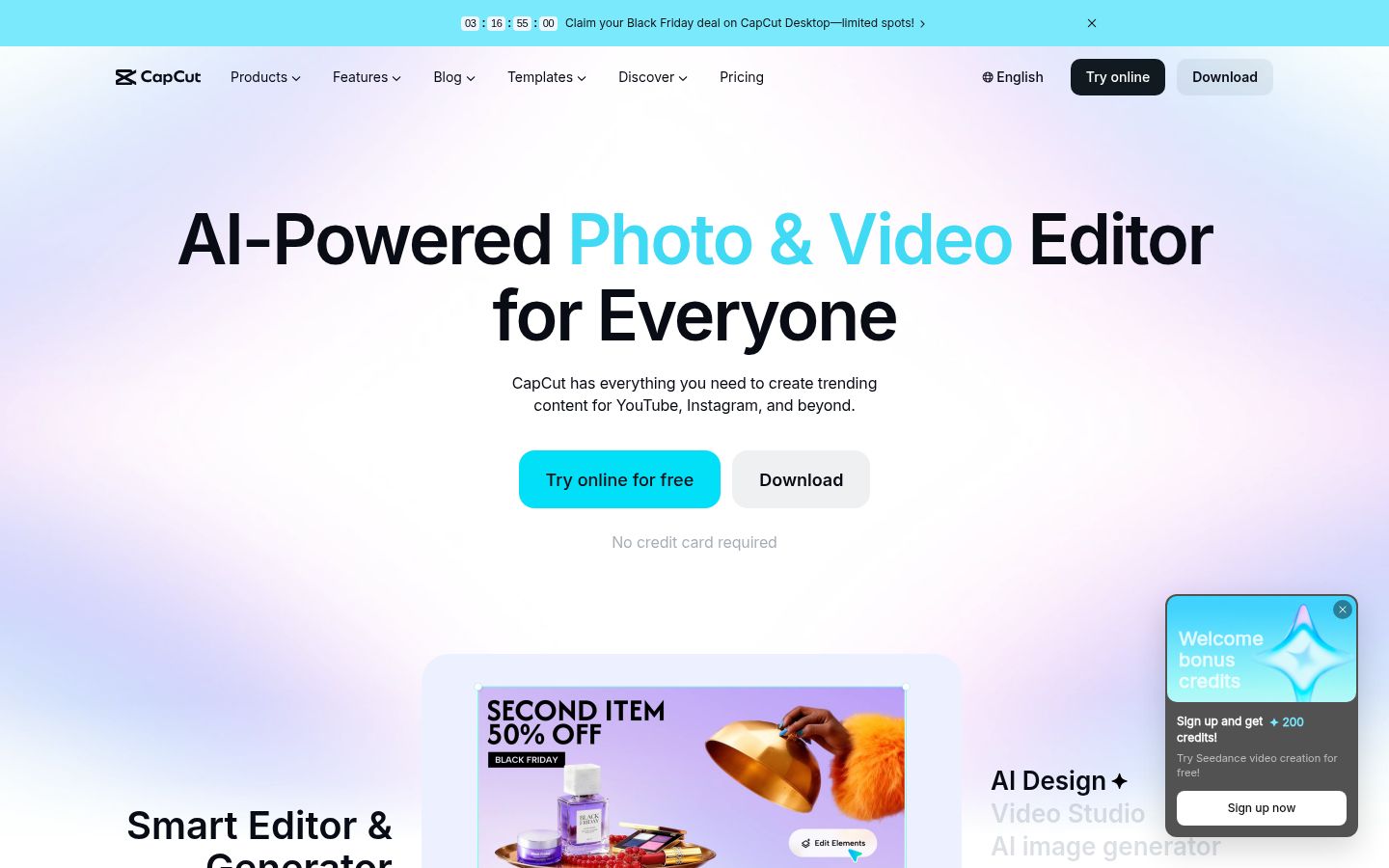
CapCut is a video editor with a desktop app, an online editor and a mobile app. At heart it's a timeline editor. It has auto captions, caption templates, speech recognition, noise reduction, and a large library of effects, transitions and templates. It also has transcript-based editing, where you delete words in the transcript and the video follows.
Where CapCut does well:
- Visual range. Text, overlays, effects, transitions and templates all sit on the same timeline. If your short mixes you talking with screen captures, product shots or quick graphics, this is where CapCut is strongest.
- Phone editing. The mobile app lets you edit on the same device you film on.
- A free start. The free plan includes timeline editing, auto captions and 1080p export, so you can make a finished captioned short at $0.
Limits that matter here: the cleanup tools, filler word removal and silence removal, are Pro features. The app also has many tools a talking-head edit won't need, so the menus take some learning.
Editing: text-first cutting or timeline cutting
Most talking-head footage needs the same three cuts: the false starts, the ums, and the pauses. How each tool makes those cuts is the biggest difference between them.
In Descript, you cut by reading. The transcript is the timeline, so a bad take shows up as a block of text you can select. Descript's Remove Filler Words does the same for ums and uhs in one pass, and you can review the list before anything is removed. For a 30-minute lesson where you need to cut 40 false starts, that's a real time saving.
In CapCut, you cut on the timeline, and transcript-based editing is an extra layer on top. You can generate a transcript, select words or pauses, and delete them. CapCut's filler word and silence removal are Pro features. If you're on the free plan, you can still cut by hand, which takes longer on a long recording but costs nothing.
For a short, one-take video, the difference is small. For a long recording, Descript's text-first approach is quicker. For a short that needs visual layers on top of your talking, CapCut's timeline is the more natural place to work.
Captions: from the transcript, with styling you can change
Both tools make captions from the audio. The question is how much control you need.
Descript adds subtitles in a single click from the transcript it already made for your recording. Because the captions come from the same text you edit, the words on screen match the words you keep.
CapCut has auto captions and a large set of caption templates, with the text styled on the timeline. If you want bold animated captions in the style of popular short-form creators, CapCut's template library gives you more to start from.
Whichever you use, check the captions before you post. Names, product words, numbers, and sentences with "not" in them are the places where automatic captions most often go wrong. Watch the final edit once from start to finish, because a clean-looking caption on a wrong word still looks wrong.
Pricing: what you pay each month
Here's what the plans cost as of October 2026.
Descript (per person):
- Free: $0. 60 media minutes a month, 100 AI credits one time, 720p exports with a watermark.
- Hobbyist: $16/month billed yearly, or $24 billed monthly. 10 media hours a month, 1080p exports with no watermark, Remove Filler Words and Studio Sound. That's $192 a year on annual billing.
- Creator: $24/month billed yearly, or $35 billed monthly. 30 media hours, 4K exports, up to three seats.
- Business: $50/month billed yearly, or $65 billed monthly. 40 media hours, up to five seats.
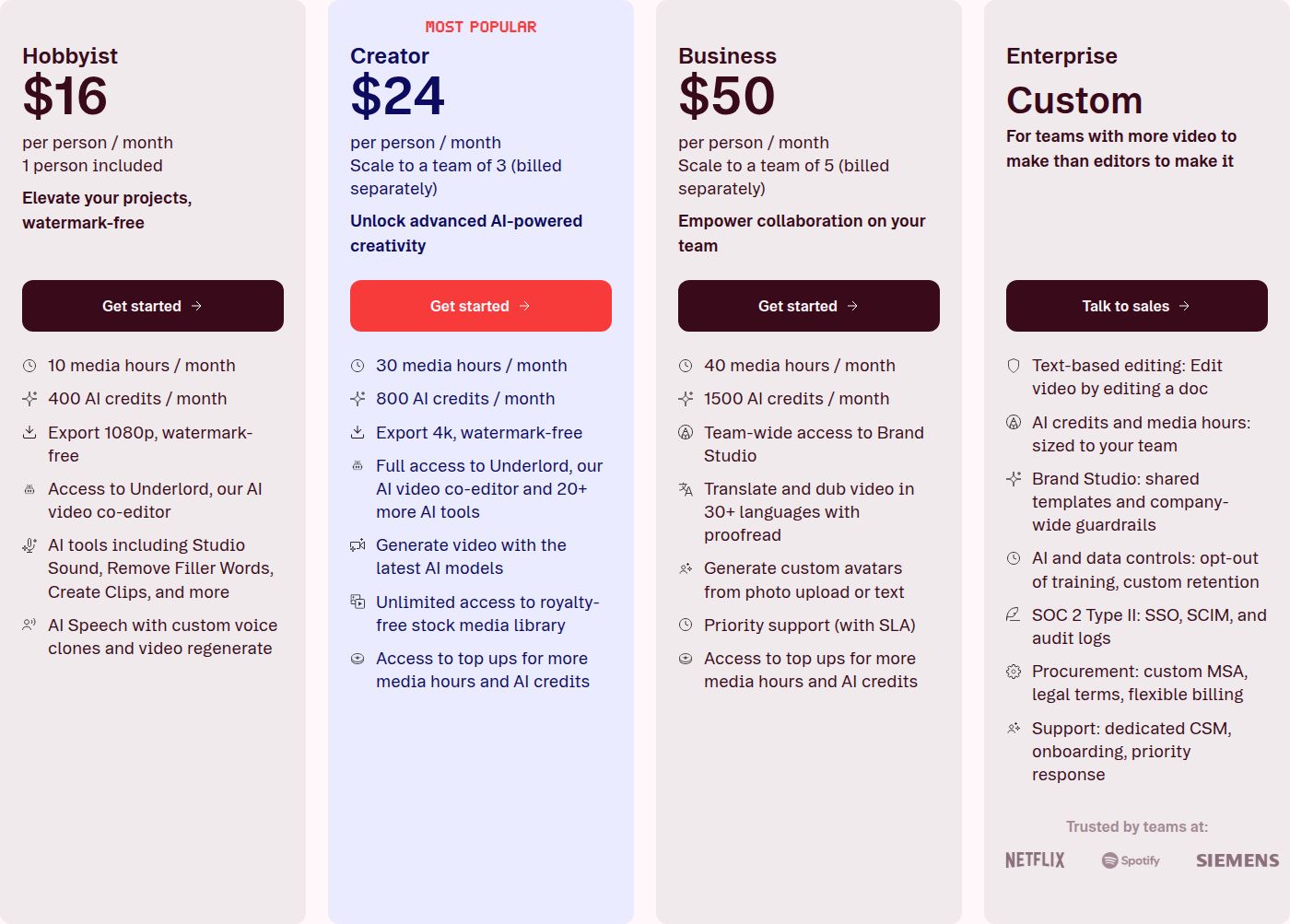 Descript's pricing page, Hobbyist plan
CapCut:
- Free: $0. Timeline editing, auto captions, 1080p export.
- Standard: $9.99/month in the US App Store listing. Standard covers the basics without the Pro cleanup tools.
- Pro: $19.99/month, or $179.99/year. Includes filler word and silence removal.
Sycamore:
- Free: 10 minutes of video, one time, no credit card.
- Starter: $19/month for 3 hours of video a month, no watermark.
- Growth: $39/month for 10 hours of video a month, no watermark, with priority rendering.
The price gap is small. Say you record four 10-minute sessions a month, so 40 minutes of raw footage. Descript's Hobbyist 10 hours and Sycamore's Starter 3 hours both cover that easily. At that volume, the workflow you like matters more than the $3 difference between the monthly prices.
Two details change the real cost. On annual billing, Descript's Hobbyist costs $192 a year and CapCut's Pro costs $179.99 a year. And Descript counts every minute you upload, including the parts you cut, so a lot of raw footage uses up the allowance faster than the finished video suggests.
Ease of use and output quality
Descript feels like writing. If you're comfortable in a document, you can cut a video the same way. You do need a computer, though. There's no phone app, and the free plan's watermarked 720p exports make it a place to learn, not a place to publish from. Hobbyist gives you 1080p with no watermark. Creator adds 4K.
CapCut is the most flexible of the three for visual work. Its timeline has more layers, more effects and more controls, which means more to learn. The phone app is the main reason to choose it if you edit on the go. Its free plan exports 1080p, and the Pro plan adds the transcript cleanup tools.
Output quality comes down to the export settings and the plan. Descript exports 1080p on Hobbyist and 4K starting at Creator. CapCut's free plan exports 1080p, and its 4K export sits on the paid plans.
Sycamore: a third option for talking-head shorts

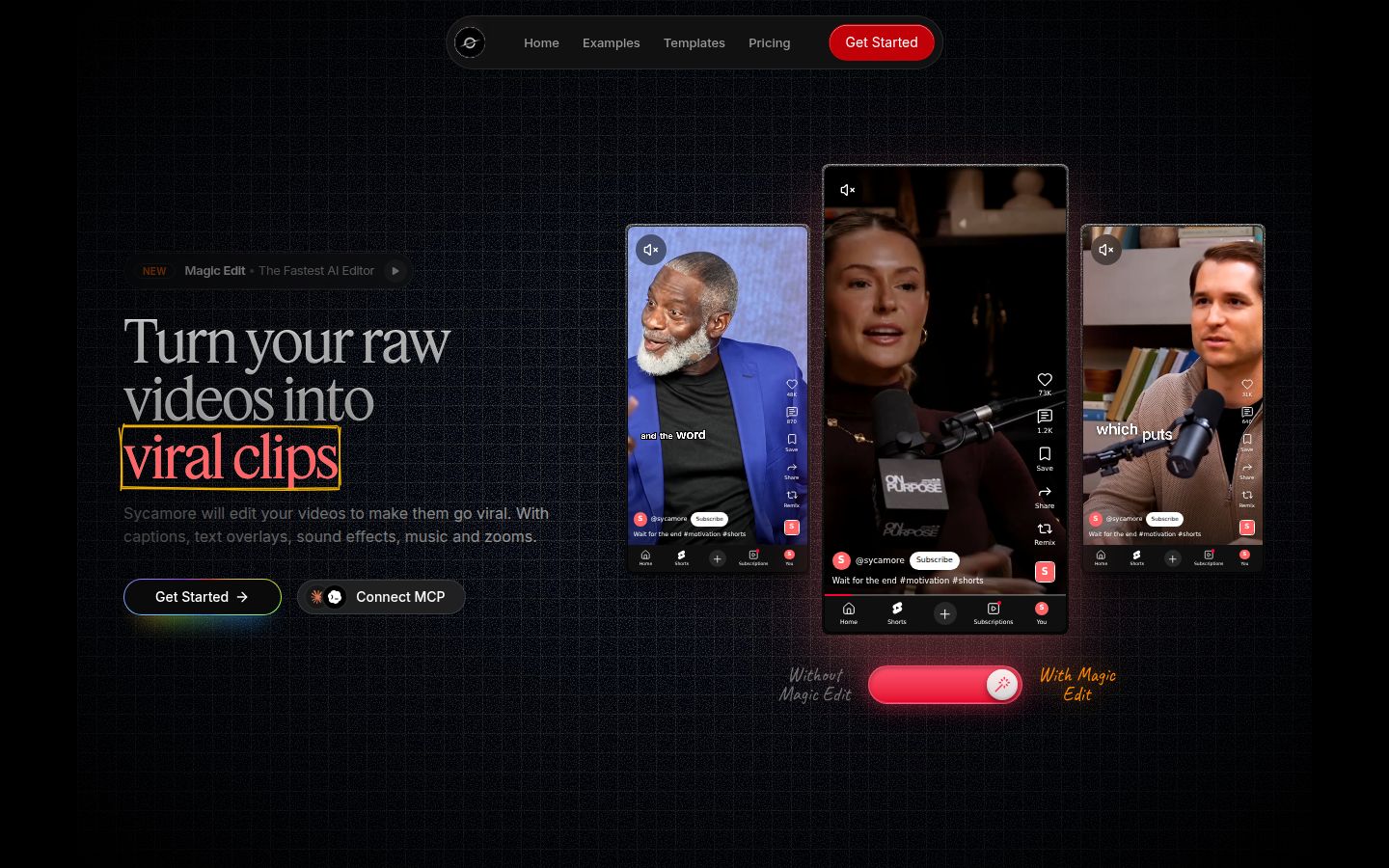
Sycamore is a web app built for one job: turning a raw talking-head recording into a captioned short. There's nothing to install. You upload an MP4, MOV, WebM or MP3 of up to 2 hours.
Magic Edit does the cleanup and the styling in one pass. It cuts silences and filler words, adds word-by-word captions, puts emphasis on key lines, and adds zooms and full-screen text for the big moments. You pick one of three edit styles (Apollo, Hermes or Athena), then review the edit line by line before you export. Each line can be set to Normal, Emphasis, Full screen, Number, List or Label. You can change any word in the captions and save a caption look as a preset to reuse. You export MP4 in 9:16, 1:1 or 16:9.
Sycamore is a good fit if you want the whole edit done in one pass, with no timeline to learn. It's also the simplest pricing of the three to plan around: you pay for the minutes of video you upload.
Sycamore has limits you should know before you pick it. Transcription is English only. It edits the video you give it, so it won't turn a long recording into many shorts. It has no B-roll or stock library, no AI avatars and no AI voice. It doesn't post or schedule to social platforms, and it has no team features. It works in a phone's browser, but there's no mobile app.
Which one should you pick
Pick Descript if your recordings are long and you edit by reading. Interviews, webinars, course lessons and podcasts all suit it. Start with Hobbyist at $16/month billed yearly. It's the lowest-cost plan that includes Remove Filler Words and watermark-free 1080p export. If your team works together on a project, Creator and Business add seats. Skip Descript if you need to edit on your phone.
Pick CapCut if you want a visual editor, a phone app, and templates and effects on the same timeline. Start with the free plan. If you want the filler word and silence cleanup, you'll need Pro at $19.99/month or $179.99/year. CapCut is also the better choice if your shorts need a lot of visual layers, like product shots, screen captures or graphics over your talking.
Pick Sycamore if you have one raw talking-head take and want a captioned short with the cleanup done in one pass. Start with the free 10 minutes, which needs no card, and see whether the edit matches what you'd make by hand. Skip Sycamore if you need a language other than English, a phone app, or B-roll.
Pick neither yet if you're not sure what you need. Take one real recording, the one you'd actually post, and run it through the free plans. Descript's free plan gives you 60 media minutes, CapCut's free plan includes auto captions and 1080p export, and Sycamore's free plan gives you 10 minutes. Note how long each edit takes you and how much you had to fix. That result tells you more than any feature list.
If you want to use two tools, one can clean the footage and the other can finish it. That means two exports and two places to check captions, so most creators get the best result by finishing the whole edit in one tool.
FAQ
Is CapCut free to use for talking-head videos?
Yes. CapCut's free plan includes timeline editing, auto captions and 1080p export. Automatic filler word and silence removal are Pro features, which cost $19.99 a month or $179.99 a year in the US App Store listing.
Does Descript have a mobile app?
No. Descript runs as a desktop app on Mac and Windows and in the browser. You edit on a computer, not on a phone.
Which is cheaper, Descript or CapCut?
CapCut's Standard plan is listed at $9.99 a month and Descript's Hobbyist plan at $16 a month billed yearly, or $24 billed monthly. Descript's Hobbyist plan is the cheapest Descript plan with filler word removal and watermark-free 1080p export.
Does Descript remove filler words on the free plan?
No. Remove Filler Words is on the Hobbyist plan and above. The free plan gives you 60 media minutes a month with 720p exports that carry a watermark.
Can Sycamore replace Descript or CapCut for talking-head shorts?
For one raw talking-head video at a time, yes: Sycamore's Magic Edit cuts silences and filler words and adds captions in one pass. It transcribes English only, has no mobile app, and doesn't turn long videos into many shorts.
Can I use Descript and CapCut together?
Yes, but it means two exports and two places to check captions. Most creators get a cleaner result by finishing the whole edit in one tool.