Opus Clip is built for one job: taking a long recording and cutting it into several short clips. If you record podcast episodes, webinars, long coaching calls or lectures, that job is probably what you need. If you film one talking-head video at a time, you may be paying for a feature you won't use.
We make Sycamore, so read this with that in mind. We've tried to be fair to every tool here, including the ones that are a better fit than ours for some readers.
Verdict: Opus Clip is worth it for long recordings, not for single videos
Opus Clip is worth it if you regularly record long videos and want several clips from each one. The Pro plan is $29 a month, or $14.50 a month billed yearly. It accepts videos up to 10 hours long and supports more languages than Sycamore.
Skip it if you film one short talking-head video at a time and want it edited and captioned. Sycamore, Submagic or Vizard will fit that job more directly.
Skip the Starter plan if you process more than about 2.5 hours of video a month. It includes 150 credits, and each credit is one minute of source video.
Key facts at a glance
Prices are as of October 2026, in US dollars, from each tool's own pricing or help pages.
| Opus Clip | Sycamore | Submagic | Vizard | |
|---|---|---|---|---|
| Free plan | $0, 60 credits a month, watermark, up to 1080p, no editing | 10 minutes of video, one time, no card needed | Upload and edit 3 short videos, watermark on downloads | $0, 60 credits a month, 720p, watermark |
| Entry paid plan | Starter, $15 a month (monthly billing only), 150 credits | Starter, $19 a month, 3 hours of video | Starter, $19 a month, 15 videos up to 2 minutes | Creator, $29 a month or $14.50 billed yearly |
| Main paid plan | Pro, $29 a month or $14.50 billed yearly, 300 credits | Growth, $39 a month, 10 hours of video | Pro, $39 a month, 40 videos up to 5 minutes | Business, $39 a month or $19.50 billed yearly |
| Longest upload | Up to 10 hours | Up to 2 hours per file | 30 minutes per video (Business plan) | Not listed on the pricing page; 1 credit per minute uploaded |
| Best at | Finding clips inside long videos | Editing one raw video from start to finish | Captions with B-roll and sound effects on one video | Clips from long videos, plus scheduling on paid plans |
| Main limit | Clip picks are made by the AI, and credits run out fast on long files | English only, one video at a time | Per-video length caps on the lower plans | Free plan is 720p with a watermark |
Opus Clip

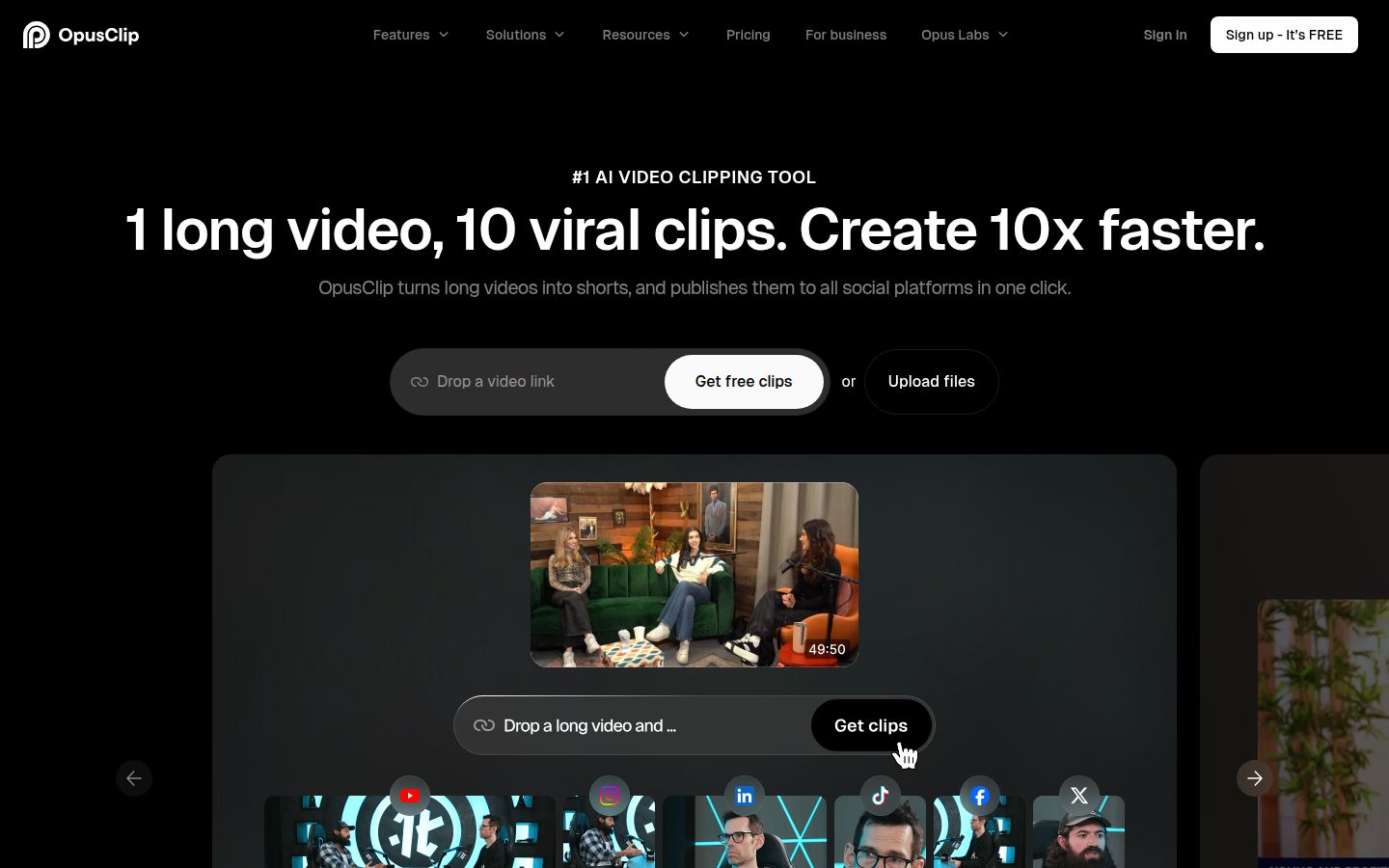
Opus Clip takes a long video, finds the moments it thinks will work as short clips, and returns them with captions and reframing already applied. You can upload a file or, on the Pro plan, import from links such as YouTube, Google Drive, Vimeo, Zoom and StreamYard. You choose a clip length and aspect ratio, and you can add a prompt to steer which moments it picks.
What Opus Clip does well
- It finds clips inside long recordings. Upload a 60-minute interview and get several clips back, each with its own transcript and timing. This is the main reason to use it.
- It offers prompts and length settings. You can ask for moments on a topic, pick a clip length, and choose 9:16 for vertical video. Pro adds 1:1 and 16:9.
- It rates each clip. Paid plans include a Virality Score for every clip, so you can sort the list before you edit.
- It handles more languages. Opus Clip's homepage lists English, German, Spanish, French and Portuguese, plus more than 20 other languages. Sycamore currently works in English only.
- Pro adds more production tools. Pro includes sound effects, music and transitions, video dubbing, a scheduler for more social networks, and 100 GB of storage.
Where Opus Clip falls short
- The AI decides what counts as clip-worthy. You'll still check the picks. If your key point is a topic that unfolds slowly, rather than a sharp moment, expect to trim or replace some clips.
- Credits are charged per minute of source video. A 60-minute file uses 60 credits. The Starter plan's 150 credits cover about 2.5 hours of source video a month.
- The free plan is limited. It has 60 credits a month, a watermark, up to 1080p, no editor, and clips can only be exported for 3 days.
- Starter is basic. It's 9:16 only, has no team workspace, and is billed month to month only.
Opus Clip pricing and credits
- Free: $0. 60 credits a month, watermark, no editing.
- Starter: $15 a month, monthly billing only. 150 credits a month, watermark-free, editor included, Virality Score, 9:16 only.
- Pro: $29 a month, or $14.50 a month billed yearly ($174 for the year). 300 credits a month, 9:16, 1:1 and 16:9, sound effects and music, 2 team seats.
- Business: custom quote for larger teams and API use.
Opus Clip also offers a 7-day Pro trial with no credit card. The trial ends on its own and the account moves to the Free plan.
Sycamore

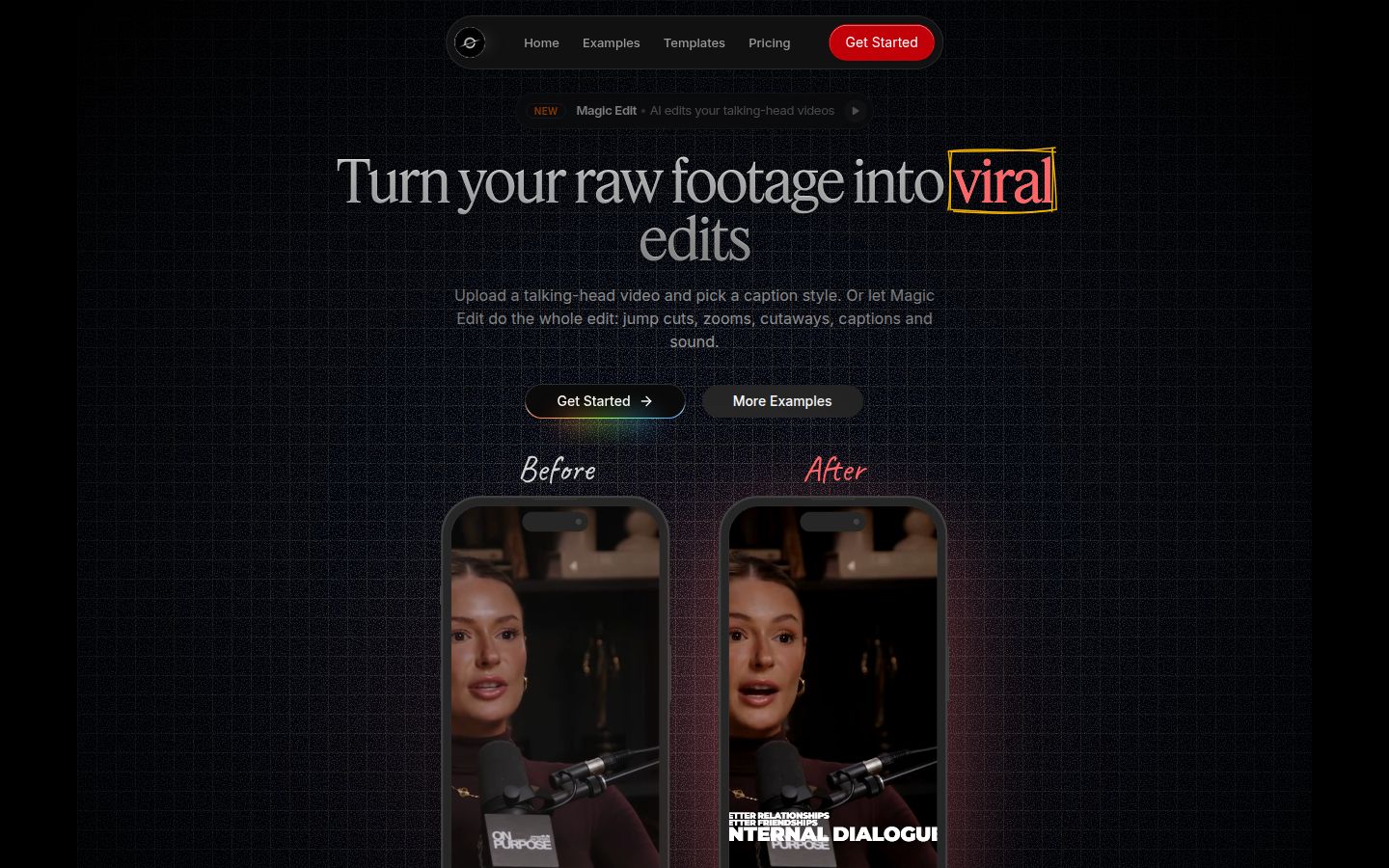
Sycamore is a web app that turns one raw talking-head recording into a finished, captioned short. It runs in your browser, so there's nothing to install. Upload a video and Magic Edit edits the whole thing: it cuts out silences and filler words, adds animated word-by-word captions, emphasis on key lines, zooms, and full-screen text for the big moments.
You choose one of three edit styles, Apollo, Hermes or Athena. Then you review the edit before you export. Each line can be set to Normal, Emphasis, Full screen, Number, List or Label, so you can change the result in plain words without learning a full timeline editor.
What Sycamore does best
- It edits the whole video in one pass. Silences, filler words and captions are handled together, so you don't run three separate tools.
- You stay in control. You review every line of the edit. You can edit any caption word, change fonts, colors, size and position, and save a look as a preset for your next video.
- The pricing is simple. The free plan gives you 10 minutes of video, one time, with no credit card. Starter is $19 a month for 3 hours of video, and Growth is $39 a month for 10 hours, both with no watermark.
- It has one job. If you film talking-head shorts, there's less to learn than in a full video editor.
It's a good fit for founders, coaches, educators and podcasters who film themselves talking and post one video at a time to TikTok, Instagram Reels, YouTube Shorts or LinkedIn. You export MP4 in 9:16, 1:1 or 16:9.
Limits that matter for this choice
- English only. Transcription works in English. If your videos are in another language, Opus Clip is the better pick.
- One video at a time. Sycamore edits the video you upload. It doesn't cut a long recording into many clips the way Opus Clip does.
Sycamore also doesn't post or schedule for you, and there's no mobile app. It works in a phone's browser.
Submagic

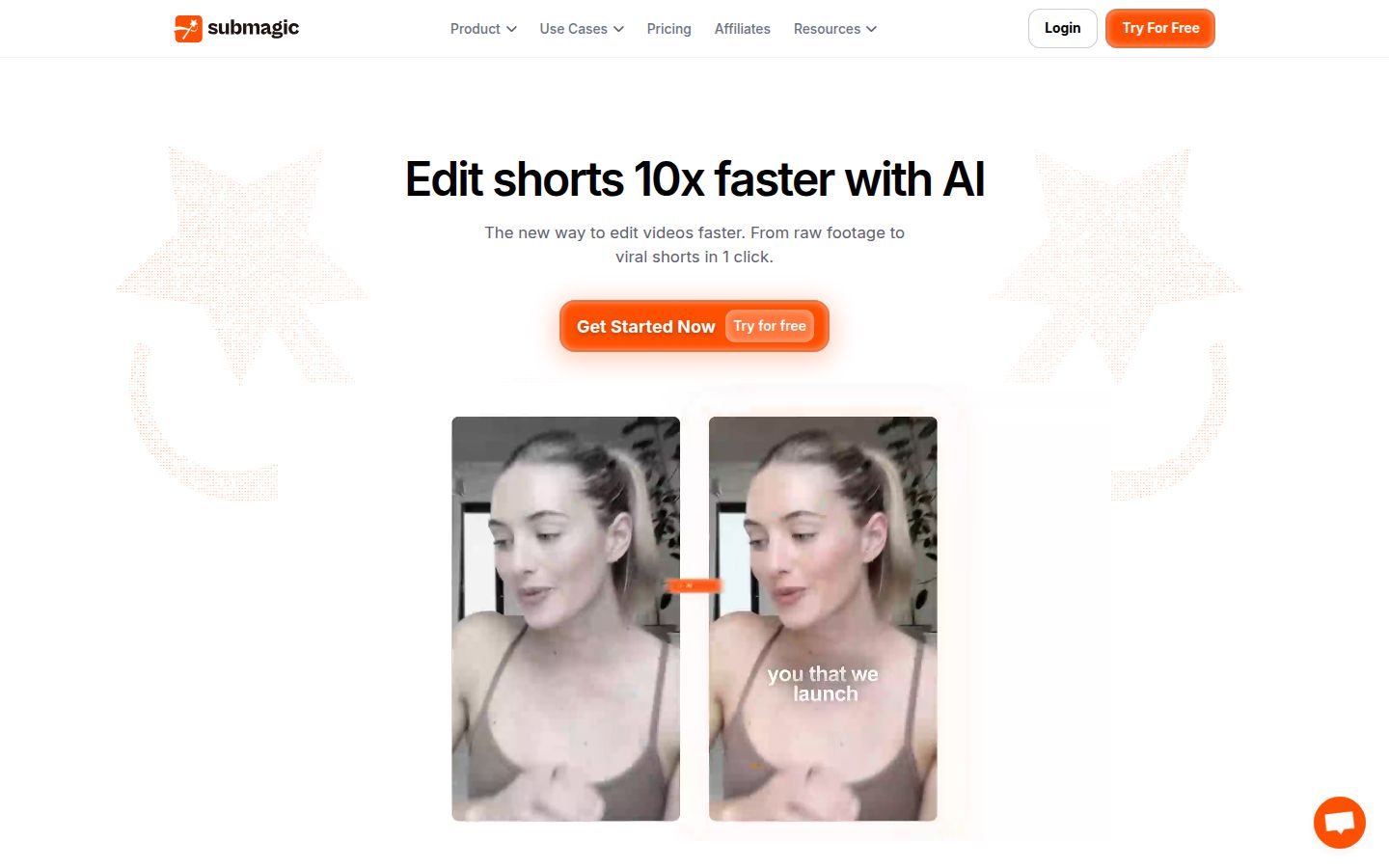
Submagic is an AI editor for short videos. You upload one video, and it adds captions, zooms and other edits. It also has a Magic Clips add-on that turns long videos into clips.
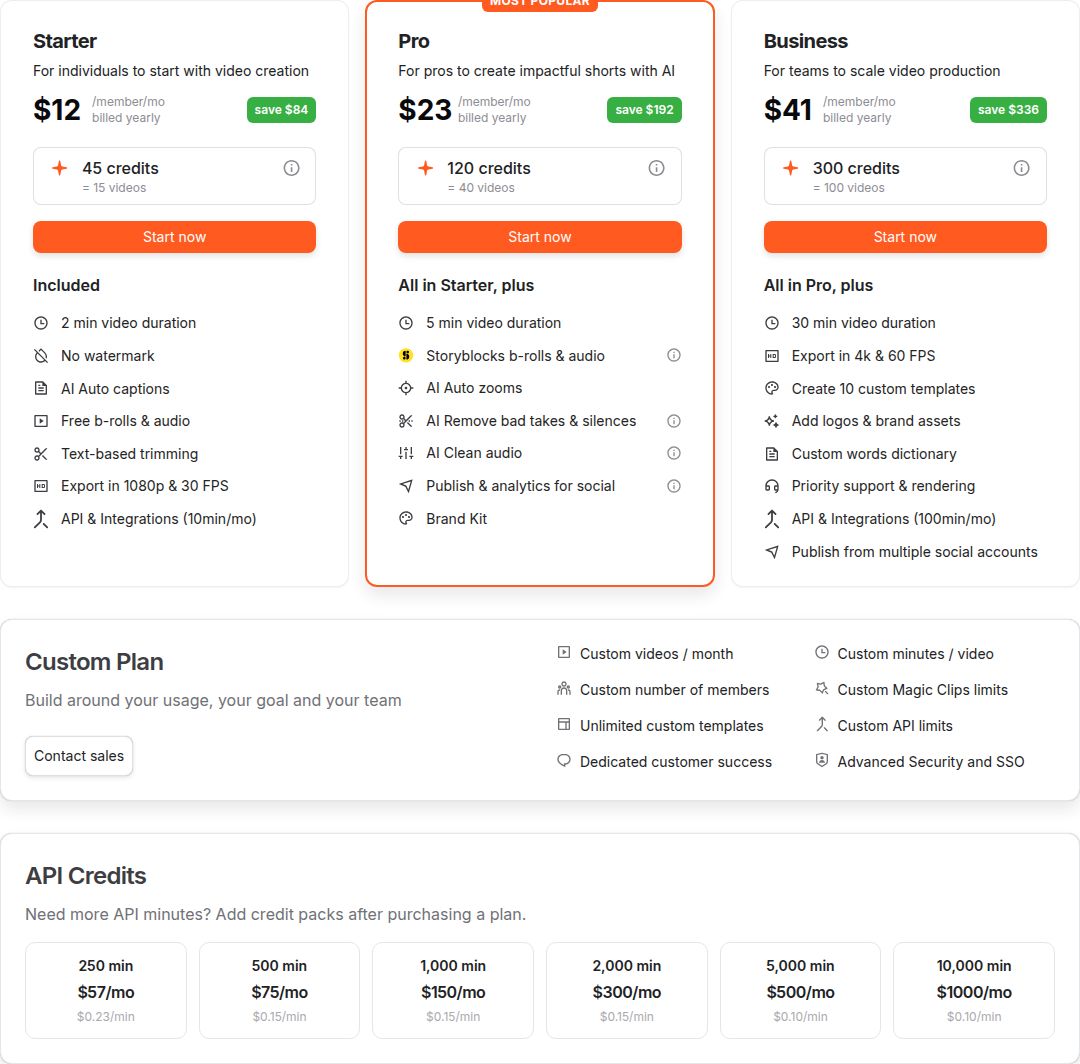 Submagic's pricing plans: Starter, Pro, Business and Custom
Where Submagic is the better fit
- You want B-roll and sound effects in the same tool. The Pro plan includes B-roll and audio from its stock library, and the feature list also covers sound effects and background music.
- You want to clip long videos at a modest add-on price. Magic Clips is a $19 a month add-on for 10 uploads.
Limits
- Video length caps. Starter videos can run up to 2 minutes, and Pro up to 5 minutes. Business goes to 30 minutes.
- Seats cost full price. Each team member is a paid seat at the plan price.
- No ongoing free plan. The free option is a trial of 3 short videos, and downloads carry a watermark.
Vizard

Vizard turns long-form video into short clips for TikTok, Instagram and YouTube Shorts, the same basic job as Opus Clip. Its free plan gives 60 credits a month at 720p with a watermark, and it keeps your files for 3 days.
Where Vizard is the better fit
- You need scheduling and team features at a lower price. The Business plan is $39 a month, or $19.50 billed yearly, and includes a shared workspace, a brand kit and 20 social accounts. Team seats are $5 a month each.
- You want 4K export on a paid plan. The Creator plan includes 4K export and social scheduling, with no watermark.
Limits
- The free plan is 720p with a watermark. Opus Clip's free plan exports up to 1080p, but it also has a watermark.
- Credits are per minute uploaded. A 60-minute video costs 60 credits, the same as Opus Clip.
Pricing and value: what an hour of footage costs
The cheapest way to compare these tools is cost per hour of source video. The table counts the full plan allowance. If you use fewer minutes, your real cost per hour goes up.
| Plan | Monthly price | Source video included | Cost per hour of video |
|---|---|---|---|
| Opus Clip Starter | $15 | 2.5 hours (150 credits) | $6.00 |
| Opus Clip Pro, billed monthly | $29 | 5 hours (300 credits) | $5.80 |
| Opus Clip Pro, billed yearly | $14.50 | 5 hours (300 credits) | $2.90 |
| Sycamore Starter | $19 | 3 hours | $6.33 |
| Sycamore Growth | $39 | 10 hours | $3.90 |
Yearly billing is the lowest cost per hour in the table, but it's a commitment you pay up front. If you're not sure you'll keep using the tool, the monthly plan costs more per hour and lets you stop any time.
Submagic doesn't fit this table, because its limits are per video and by count, not by total hours. Check its plan limits against the length of your typical video.
Opus Clip vs Sycamore: which one fits your recordings
These two tools solve different problems, so the choice comes down to what you start with.
- Start with a long recording and want many clips: Opus Clip. It finds the moments for you, and the clip list is the main output.
- Start with one raw talking-head video and want it finished: Sycamore. You get one edited, captioned video, and you review every line before export.
- Want non-English captions: Opus Clip. Sycamore is English only.
- Want the lowest cost per hour of footage: Opus Clip Pro billed yearly, at $2.90 an hour, then Sycamore Growth at $3.90 an hour. Both figures assume you use the full allowance.
Who should buy what
Podcasters, webinar hosts and coaches who record long calls every week: Opus Clip Pro. It's the only tool here built to pull several clips out of each long recording. Start with the free plan to check the picks against your own content.
Founders and coaches who film one or two talking-head shorts a week: Sycamore Starter at $19 a month. Try the free 10 minutes first, with no card. If you need more than 3 hours a month, move to Growth.
Creators who want stock B-roll and sound effects in one tool: Submagic Pro. It's the plan that includes those features, and it's the one to compare with Opus Clip Pro.
Small teams that schedule posts and share a workspace: Vizard Business, or Opus Clip Pro if two seats are enough. Compare the seat and account limits on each pricing page before you pay.
Anyone who needs non-English captions: Opus Clip. It supports more languages than Sycamore.
Anyone who wants to test before paying: Opus Clip's free plan gives 60 credits a month, Vizard's gives 60 credits at 720p, and Sycamore's gives 10 minutes once. Run the same video through two of them and compare the result, not the feature list.
FAQ
Is Opus Clip free?
Opus Clip has a free plan with 60 credits a month, one credit per minute of source video. Clips on the free plan have a watermark, can't be edited, and can only be exported for 3 days. There is also a 7-day Pro trial with no credit card.
How much does Opus Clip cost in 2026?
Starter is $15 a month, billed monthly only. Pro is $29 a month, or $14.50 a month billed yearly at $174 a year. Business is a custom quote.
How many minutes of video does Opus Clip's Pro plan include?
Pro includes 300 credits a month. Since one credit is one minute of source video you import, that is 5 hours of video a month, and a 60-minute file uses 60 credits.
Does Opus Clip work with languages other than English?
Yes. Opus Clip lists English, German, Spanish, French and Portuguese, plus more than 20 other languages. Sycamore's transcription is English only.
Is Opus Clip better than Submagic for talking-head videos?
Opus Clip is better when you want several clips from one long recording. Submagic is a better fit if you want to edit single videos with B-roll and sound effects in the same tool.
Which Opus Clip plan removes the watermark?
Starter, Pro and Business are watermark-free. The free plan adds a watermark to exported clips.
What is the cheapest way to edit one raw talking-head video?
Sycamore's free plan covers 10 minutes of video one time with no credit card. Its Starter plan is $19 a month for 3 hours of video with no watermark.