If you film yourself talking and post short videos to TikTok, Reels, YouTube Shorts or LinkedIn, you need two things: captions that match the words, and a cut that doesn't drag. Several tools now do both. They differ in how much they do for you, what they cost, and who they suit.
This list covers six tools, with our product, Sycamore, first. For each one you'll see what it does, what it costs as of October 2026, what it does well, and the limits that matter for a talking-head creator. The last section matches you to a tool based on what you need to get done this week.
How we picked these tools
We looked at tools that caption or edit talking-head video for short-form posting. For each one we checked the price and plan names on the tool's own pricing page, whether it has a free plan or trial, what the edit does on its own (captions only, or a full cut), and which kind of creator it suits.
We read the vendor pages first. Where a third-party site disagreed with the vendor, we say so and use the vendor's page. We did not run the same video through every tool side by side, so this is not a speed or accuracy test. None of these tools publishes a figure we could confirm for accuracy or speed, so we don't rank on those.
Comparison at a glance
| Tool | Starting price (Oct 2026) | Free plan or trial | Best for |
|---|---|---|---|
| Sycamore | $19/month (Starter, 3 hours of video) | Free: 10 minutes of video, one time, no card | Raw talking-head video cut and captioned in one pass, with a review step before export |
| Submagic | $19/month per member (Starter), or $12/month billed yearly | Free trial: 3 short videos, no card | One-click captions, with publishing on Pro and a clips add-on |
| Descript | $24/month per person (Hobbyist), or $16/month billed yearly | Free plan: 1 media hour a month, 720p with a watermark | Editing by transcript, plus podcasts and screen recordings |
| CapCut | Free; Pro $19.99/month in the US (region prices vary) | Free plan | Full control of every cut and caption, in one free editor |
| Captions | $9.99/month (Basic, iOS pricing) | Free plan with a one-time allowance of AI credits | Filming on a phone, with a teleprompter and AI Edit |
| OpusClip | $15/month (Starter), or $29/month (Pro) | Free: 60 credits a month, with a watermark | Cutting one long recording into many short clips |
Sycamore

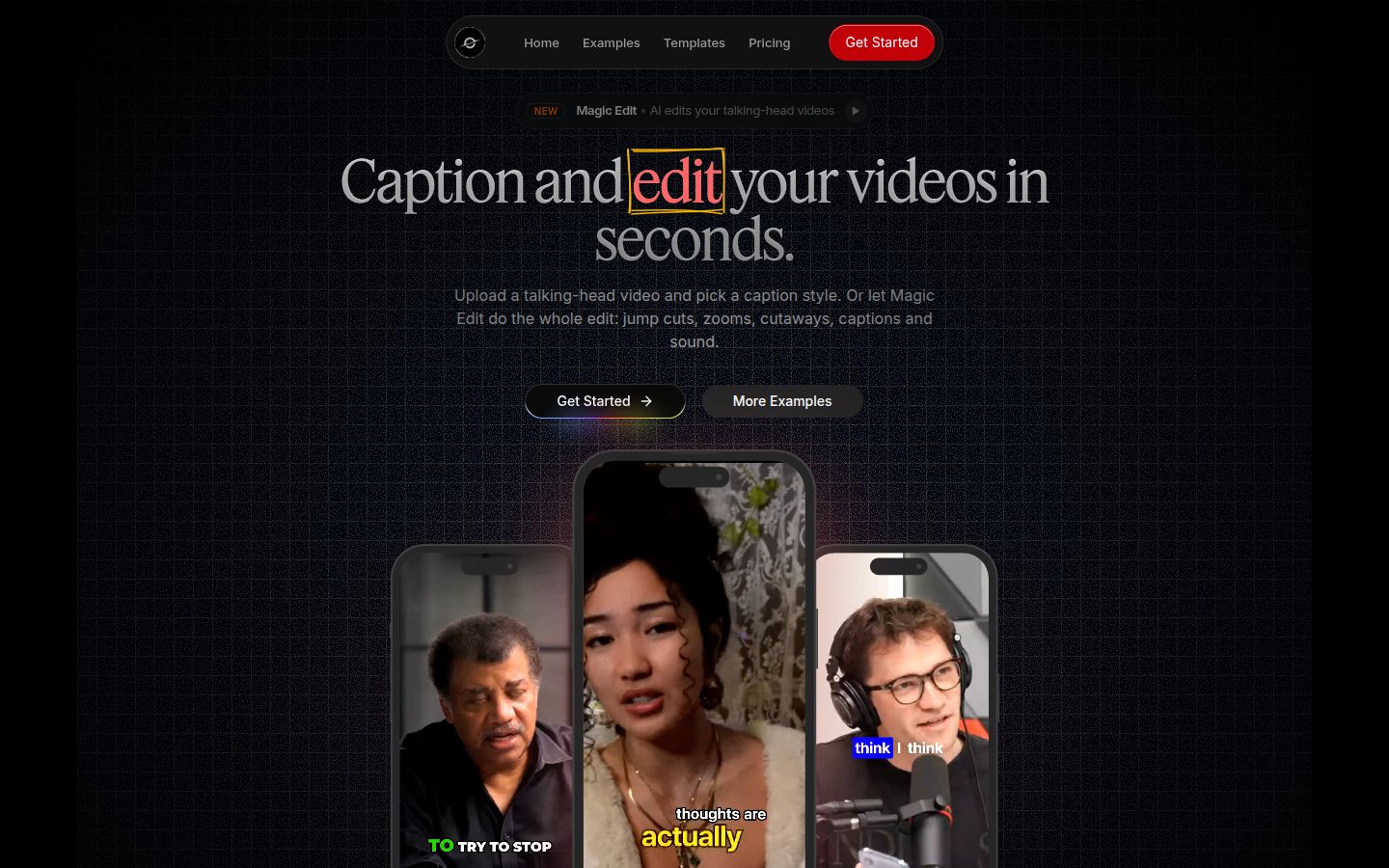
Sycamore turns a raw talking-head recording into a finished, captioned short video. It runs in your browser, so there is nothing to install.
Its main feature is Magic Edit. You upload the raw file, and Sycamore removes silences and filler words, adds animated word-by-word captions, adds emphasis on key lines, and adds zooms and full-screen text cutaways for the big moments. You pick one of two edit styles, Apollo or Hermes. Then you review the edit and change anything before you export. Each line can be set to Normal, Emphasis, Full screen, Number, List or Label, so the edit reads in plain words.
If you only need captions, skip Magic Edit and start from one of the caption templates. You can edit any word, change the font, colors, size, animation and position, and save the look as a preset for every later video. Every word is timed in the transcript, so captions stay in sync with the speech. You export an MP4 in 9:16, 1:1 or 16:9.
Pricing as of October 2026, from Sycamore's pricing page:
- Free: 10 minutes of video, one time, no credit card.
- Starter: $19 a month for 3 hours of video a month, no watermark.
- Growth: $39 a month for 10 hours of video a month, no watermark, with priority rendering.
Uploads can be MP4, MOV, WebM or MP3, up to 2 hours long.
Best for: founders, coaches, educators and creators who film themselves speaking and want the cutting and captions done in one pass. The tool does one job, so there is less to learn than in a full video editor.
Limits that matter for this choice:
- Transcription is English only. If your videos are in another language, check the other tools in this list first.
- Sycamore edits the video you upload. It does not cut a long recording into many clips, and it does not post or schedule for you.
- It exports video only. It does not export SRT or VTT caption files, and it has no mobile app. It works in a phone's browser.
Submagic

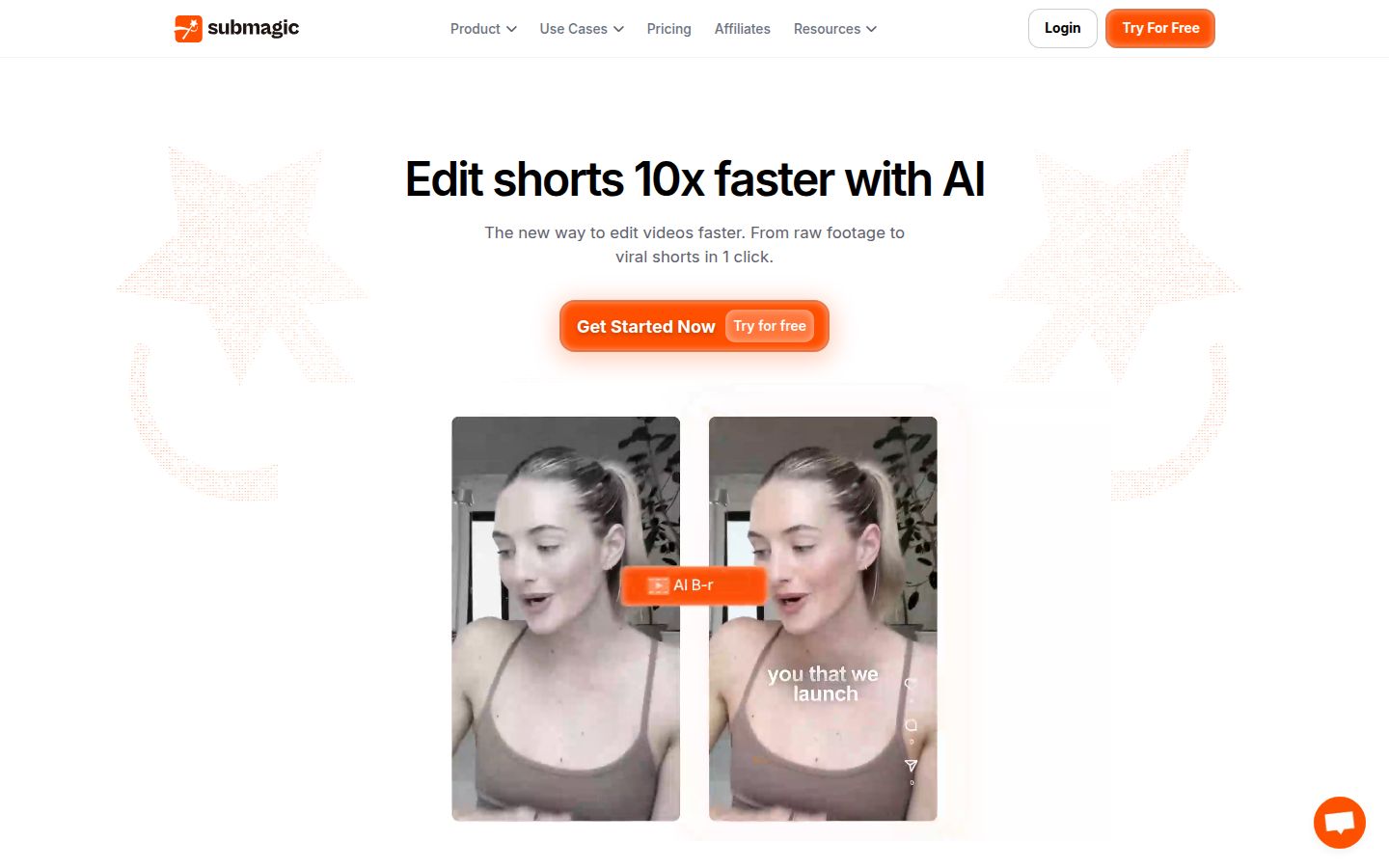
Submagic is built around speed. You upload a video and it adds animated captions, with a range of caption styles. Its Magic Clips add-on turns a longer video into short clips. It also includes auto zoom, B-roll and sound effects, and an API for teams.
Pricing as of October 2026, per StoryCut's check of Submagic's pricing on October 9, 2026. The prices are per member:
- Starter: $19 a month, or $12 a month billed yearly. Up to 15 videos a month, each up to 2 minutes.
- Pro: $39 a month, or $23 a month billed yearly. Up to 40 videos a month, each up to 5 minutes. It adds AI eye contact, auto zoom, removal of silences, bad takes and filler words, custom fonts and brand kit, and publishing to 1 social profile per platform.
- Business: $69 a month, or $41 a month billed yearly. Up to 100 videos a month, each up to 30 minutes, with 3 profiles per platform.
Magic Clips is an add-on at $19 a month for 10 uploads on any plan. The free trial lets you edit 3 short videos without a card, but you need a paid plan to download them without the watermark.
Best for: creators who want captions and some publishing in one tool, and teams that need seats, an API or the Business plan's longer video limits.
Limits that matter for this choice:
- The Starter plan caps each video at 2 minutes. If your talking videos run longer, you need Pro or Business.
- The clips feature is an add-on, so long recordings cost more than the base plan price.
- Each team member is a paid seat.
If you are comparing Submagic and Sycamore for talking-head videos, our Submagic alternatives guide goes deeper on the differences.
Descript

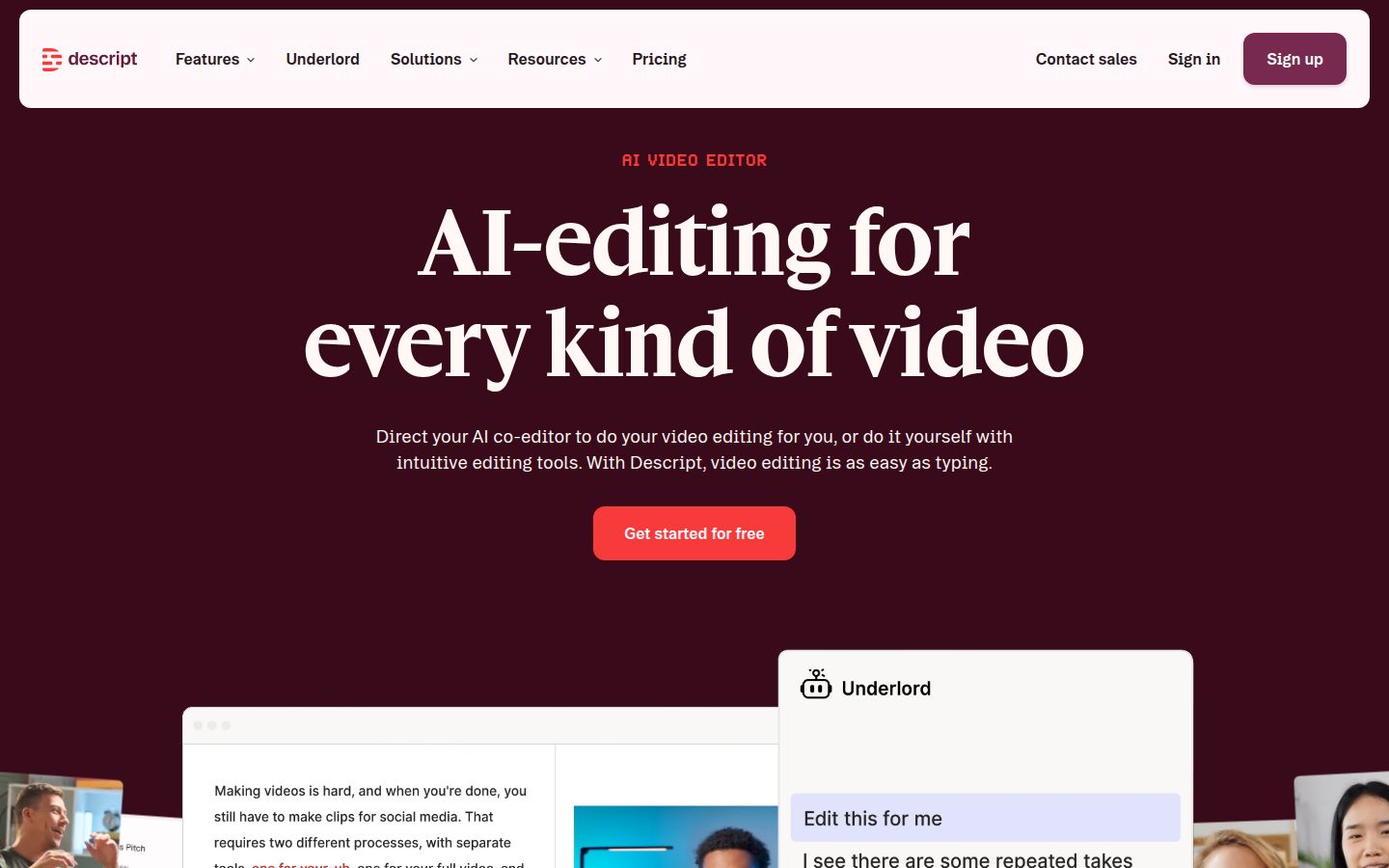
Descript is a text-based editor. You edit the video by editing its transcript: delete a word and that moment of video goes with it. It also has an AI co-editor called Underlord, Studio Sound for cleaner audio, Remove Filler Words, Create Clips, and captions from the transcript in 30+ languages. It runs in the browser and as a desktop app for macOS and Windows.
Pricing as of October 2026, from Descript's homepage and its pricing page:
- Free: 1 media hour a month, 100 AI credits one time, exports at 720p with a watermark.
- Hobbyist: $16 per person a month billed yearly, or $24 a month billed monthly. 10 media hours a month, 400 AI credits, 1080p with no watermark.
- Creator: $24 per person a month billed yearly, or $35 a month billed monthly. 30 media hours a month, 800 AI credits, 4K export. ComparEdge's Descript pricing page lists the same plan figures.
Best for: podcasters and creators who record audio and video together, people who record screens, and anyone who likes to edit by rewriting the transcript.
Limits that matter for this choice:
- It is a full editor with more features than a caption tool, so expect more setup for a single short video.
- The free plan exports with a watermark.
- Hobbyist and Creator are priced per person, so a team pays for each seat.
CapCut


CapCut is a full video editor. It runs as a desktop app, a mobile app and an online editor. It includes auto captions, a library of caption templates, transitions, effects, music and sound effects, so you can build a talking-head edit with captions from start to finish.
Pricing as of October 2026. CapCut's pricing page lists Free, Pro, Ultra and Teams. CapCut says prices vary by region, platform and account. FluxNote's guide, updated October 12, 2026, reports these US prices:
- Free: no monthly cost.
- Standard: $9.99 a month in the mobile app, according to FluxNote's check of the US App Store listing.
- Pro: $19.99 a month, or $179.99 a year, with 1,400 AI credits and 1 TB of cloud storage.
Some older sites still quote Pro at $9.99 a month. Check the price shown at checkout, since it can differ by region.
Best for: people who already edit in CapCut, and anyone who wants full control over each cut and caption in a free editor.
Limits that matter for this choice:
- CapCut is a general editor, so you make the cuts, zooms and caption choices yourself. That gives you control, and it takes more time for each video.
- FluxNote's table lists no monthly AI credits on CapCut's free plan, so AI features depend on a paid plan.
Captions

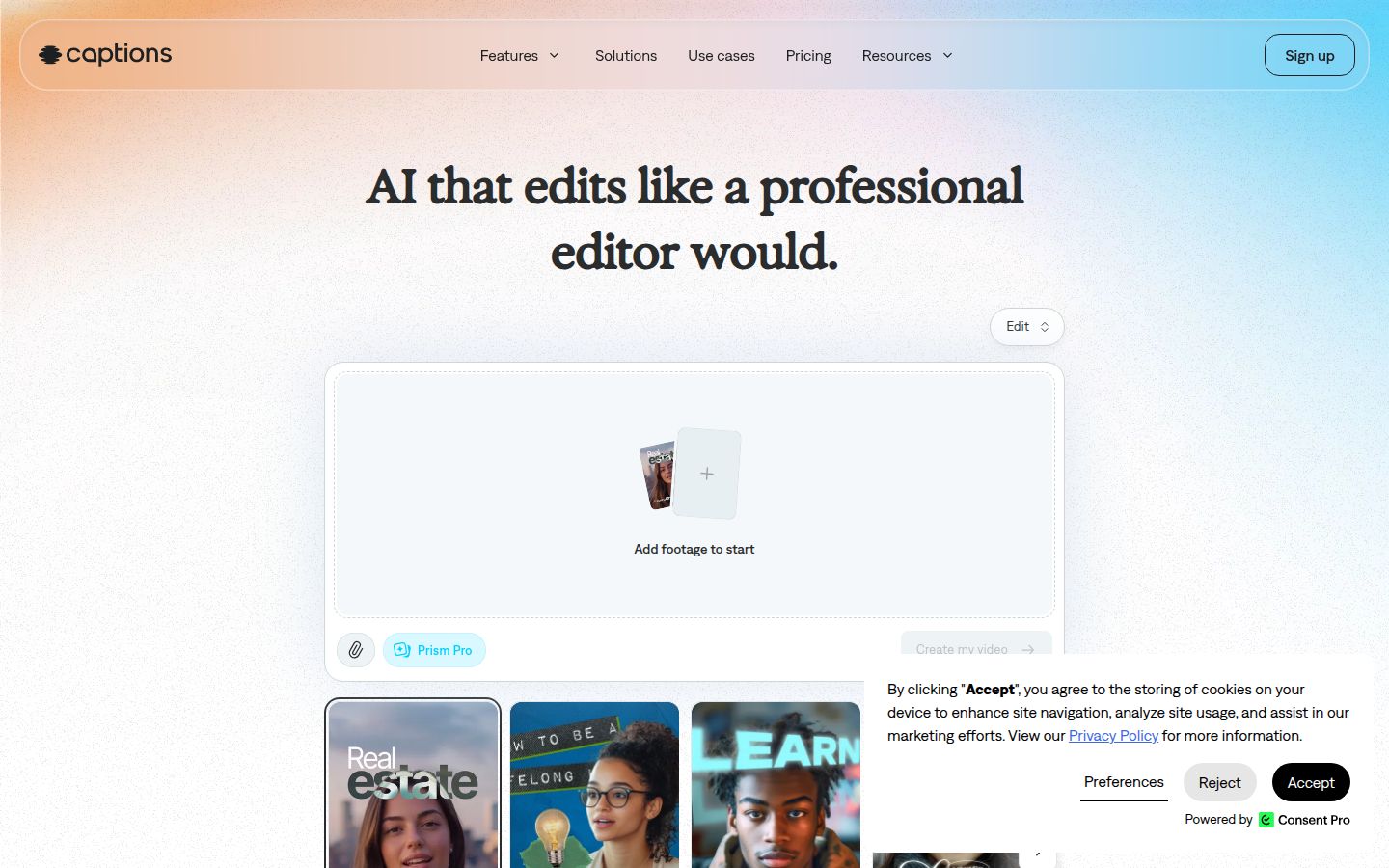
Captions is an AI editing app built around phone filming. It includes a teleprompter, a camera with trim and zoom, captions, and AI Edit, which applies a style to your footage. Its pricing page says the prices shown are for iOS subscriptions.
Pricing as of October 2026, from Captions' pricing page and its subscriptions help page:
- Free: one caption template. Captions' credits help page lists a free allowance of 60 to 200 AI credits that does not refresh each month.
- Basic: $9.99 a month with 200 credits. The help center notes that Basic was formerly called Pro.
- Max: $24.99 a month with 500 credits. It adds AI Edit styles, custom AI actors and turning a long video into a batch of clips. The pricing page lists 100+ caption templates on Max.
- Frontier: from $69.99 a month, for heavier AI usage.
Best for: creators who film on their phone and want the teleprompter and camera in the same app as the captions.
Limits that matter for this choice:
- AI features draw from a monthly credit allowance, so heavy use means a higher plan.
- The 100+ caption template library is listed on the Max plan and above.
- The app is the main product. If you edit on a desktop or in a browser, check the web studio first.
OpusClip

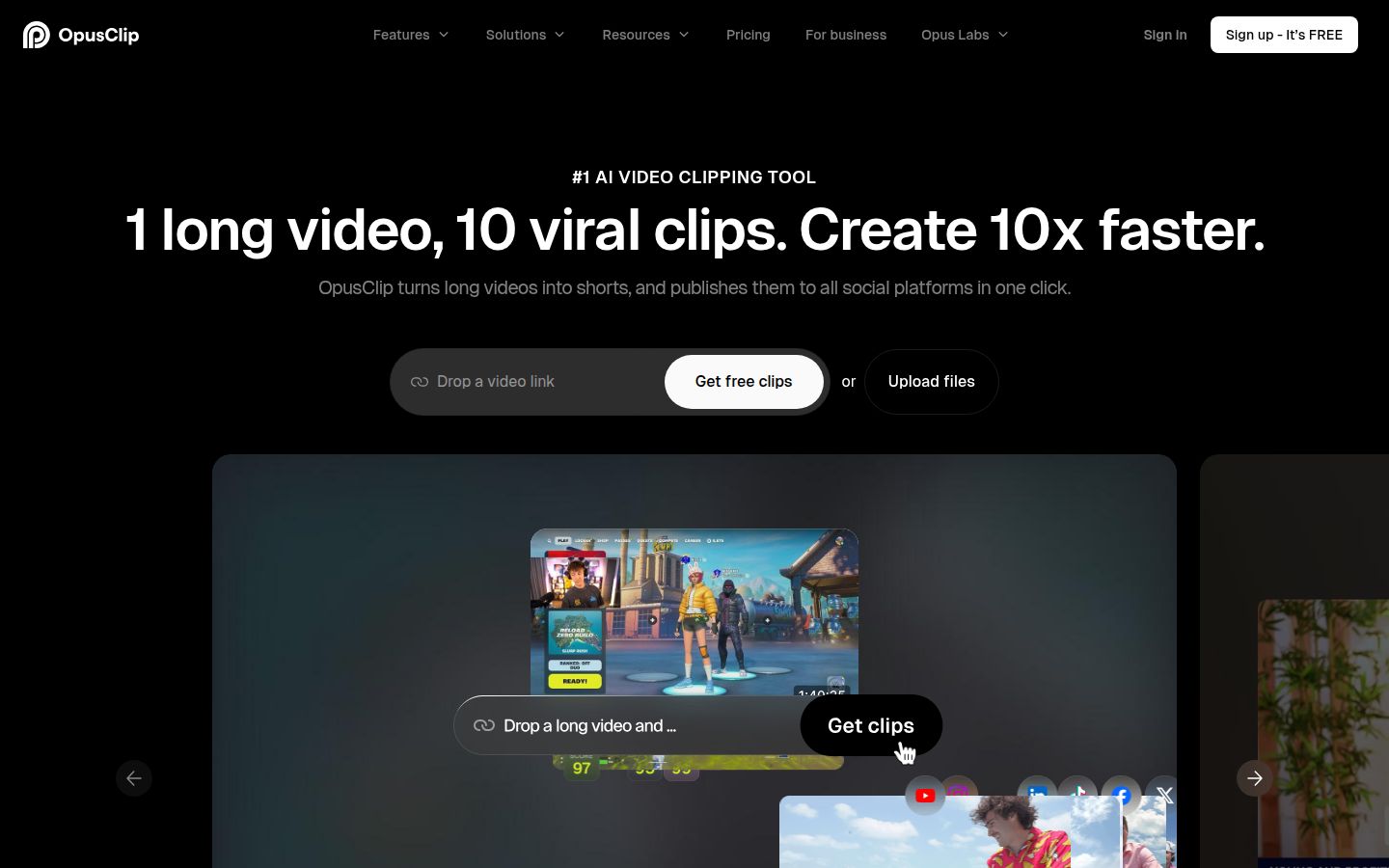
OpusClip is built for long recordings. You give it a long video, such as a podcast, webinar or livestream, and it finds the moments it thinks will work as short clips. Each clip gets animated captions, and you can reframe it for other aspect ratios. Its homepage says it supports videos in English, German, Spanish, French, Portuguese and more than 20 other languages.
Pricing as of October 2026, from OpusClip's pricing page and Fastlane's OpusClip guide, checked October 1, 2026:
- Free: 60 credits a month, with a watermark, exports up to 1080p.
- Starter: $15 a month for 150 credits, with the watermark removed.
- Pro: $29 a month, or $14.50 a month billed annually ($174 a year). 300 credits a month, unused credits roll over for 2 months, a team workspace with 2 seats and 6 social connections. Pro adds AI B-roll, a social scheduler and Premiere Pro and DaVinci Resolve export.
Best for: creators with long recordings who want many short clips from one source video.
Limits that matter for this choice:
- Clips are the core product. If your videos are already short takes, you will use the clip finder less.
- Credits are used by the length of footage you upload, so a long recording uses more of your monthly allowance.
- The free plan's clips stop being exportable after 3 days, per Fastlane's guide.
How to choose
Match your situation to the first line that fits.
- You have one raw talking-head video and want it cut and captioned, with a review before export. Start with Sycamore. Try the free 10 minutes first. If you need more, the Starter plan is $19 a month for 3 hours of video.
- You want captions and publishing in one tool, and you can pay per member. Look at Submagic. Pro is the plan that adds publishing and the fuller edit features.
- You edit by rewriting the transcript, or you record podcasts, screen captures or audio alongside video. Look at Descript. The Hobbyist plan is the first paid tier that removes the watermark.
- You already edit in CapCut, or you want a free editor with full control. Look at CapCut. The free plan covers a lot, and you do the cuts yourself.
- You film on your phone and want a teleprompter in the same app. Look at Captions. Basic costs the same monthly as CapCut Standard, $9.99, so compare the features each plan includes before you pick.
- You have one long recording and need a stack of short clips. Look at OpusClip. It is the only tool here built to find clips in long footage.
If you want to test captions before you pay for anything, our free caption and video tools cover the basics. For ideas on what to post, our content ideas by platform are a good next stop.
FAQ
Is there a free app to add captions to TikTok videos?
Yes. CapCut has a free plan with auto captions, Descript has a free plan with 1 media hour a month and a watermark, and Sycamore gives every new account 10 minutes of video to caption free, one time, with no card. OpusClip's free plan gives 60 credits a month, with a watermark.
Does Sycamore support languages other than English?
No. Sycamore's transcription is English only. If you caption in another language, check Descript, Captions or OpusClip, which list other languages on their own pages.
Which caption tool can post my videos to TikTok for me?
Submagic can publish to social profiles on its Pro plan, and OpusClip has a social scheduler on its Pro plan. Sycamore does not post or schedule videos.
How much does Submagic cost?
Submagic's Starter plan costs $19 a month per member, or $12 a month billed yearly. Its Pro plan costs $39 a month, or $23 billed yearly, and Business costs $69 a month, or $41 billed yearly.
What is the cheapest paid caption app on this list?
Captions' Basic plan and CapCut's Standard plan both list at $9.99 a month. Captions' price applies to iOS subscriptions, and CapCut's Standard plan is sold in the mobile app.
Can I export SRT caption files from Sycamore?
No. Sycamore exports MP4 video in 9:16, 1:1 or 16:9, and it does not export SRT or VTT caption files.