AutoCut and Gling both start from the same problem: you filmed yourself talking, and now the recording is full of pauses, false starts and "ums." Both tools cut that out for you. The difference is where the work happens. AutoCut is a plugin that runs inside Adobe Premiere Pro or DaVinci Resolve, so you keep editing on your own timeline. Gling is its own editor, built around the transcript, and it can send a finished cut to Premiere, Final Cut or Resolve on a paid plan.
The short answer: pick AutoCut if you already cut in Premiere Pro or DaVinci Resolve and want the tools inside that timeline. Pick Gling if you don't use a timeline editor, want a free plan to test with, or want the lowest cost per hour of footage. If you want a finished short from raw footage in one pass, with zooms, emphasis and captions already placed, Sycamore is a third option, and we make it. We cover it at the end, and we've given all three the same level of detail.
Prices and plans below are as of October 2026.
At a glance
| AutoCut | Gling | Sycamore | |
|---|---|---|---|
| Where it runs | Inside Premiere Pro or DaVinci Resolve, on Mac and Windows | Its own editor: a desktop app for Mac and Windows, plus a web app | In the browser, nothing to install |
| Paid plans | Basic $9.90 a month or $79 a year (silences only). AI plan $19.80 a month or $178.80 a year | Plus $20 a month, Pro $40, Elite $100. Annual billing halves each price | Starter $19 a month (3 hours of video). Growth $39 a month (10 hours) |
| Free option | 14-day free trial, no credit card | Free plan: 1 hour of AI-edited media a month, exports with a watermark | 10 minutes of video, one time, no credit card |
| What it does well | Silence cuts, animated captions, zooms, multicam podcasts, chapters, B-roll and more, all on your timeline | Transcript-based cuts, filler words, bad takes, SRT export, XML to Premiere, Final Cut or Resolve, B-roll, multicam | One-pass edit of raw footage: cuts, zooms, emphasis, cutaways, captions. Plain-words editor, no timeline |
| What it's missing or limited on | Needs Premiere Pro or DaVinci Resolve. You work on the timeline | Free plan has a watermark and no XML export. Premium support starts at Pro | No B-roll, no SRT export, English transcription only, no mobile app |
| Best for | Editors who already work in Premiere or Resolve | Creators who want a standalone editor, a free start and a low cost per hour | Talking-head creators who want a finished edit without a timeline |
AutoCut

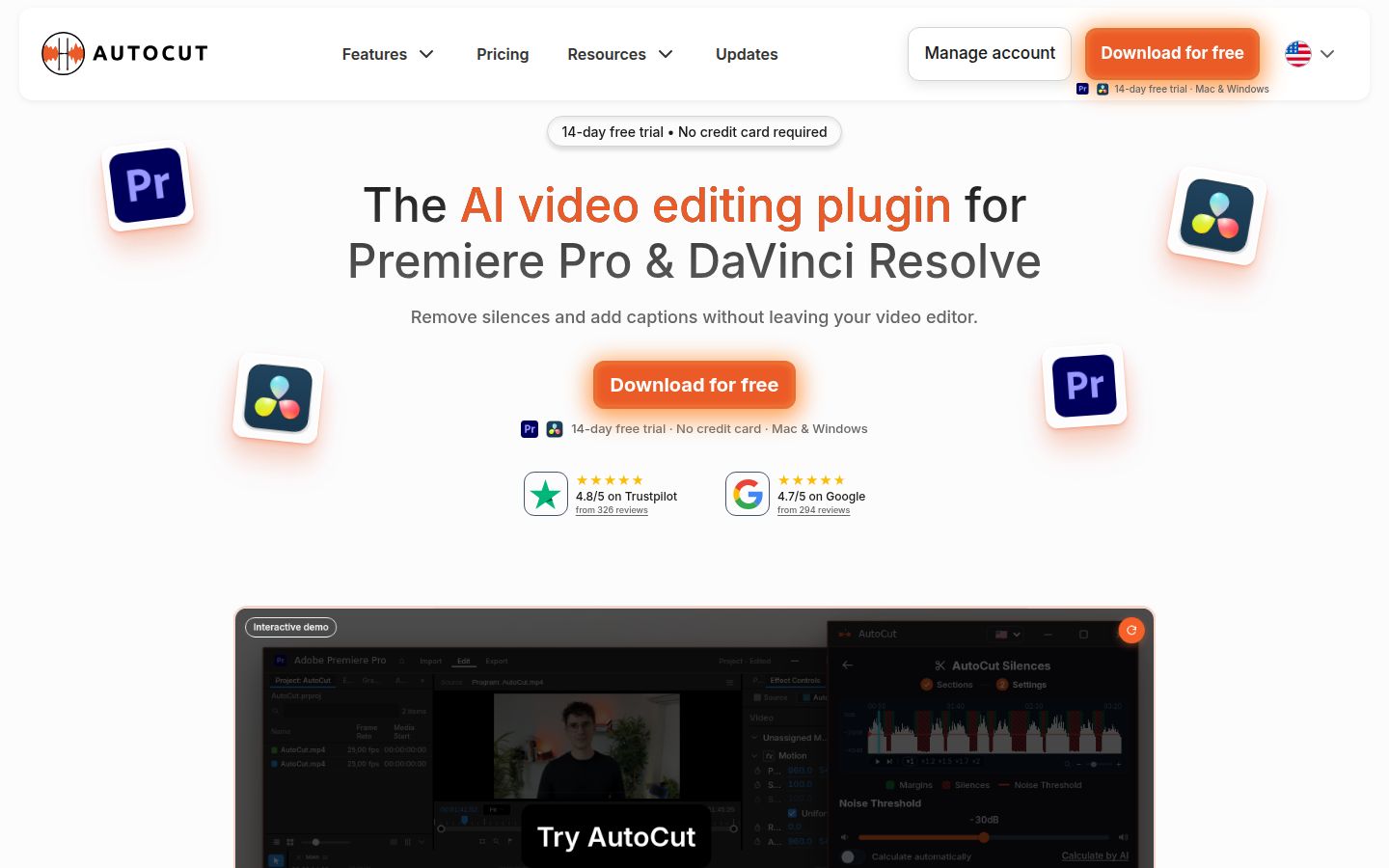
AutoCut is an AI plugin for Adobe Premiere Pro and DaVinci Resolve. You open it from inside your editor and run its tools on the clips already in your timeline. It supports Premiere Pro from the 2023 versions onward and DaVinci Resolve 18.6 or later, including the free version of Resolve.
Its tools cover most of the cleanup and polish a talking-head video needs:
- AutoCut Silences removes pauses. You pick a detection level, or let the tool calculate one, and choose whether to remove each silence, keep it, mute it or remove it while keeping the gap.
- AutoCut Repeat finds repeated takes.
- AutoCaptions adds word-by-word captions to the timeline. The Standard mode gives clean captions. The Advanced mode transcribes automatically and comes with 90-plus editable presets for Reels and TikTok.
- AutoZoom adds zoom effects, and AutoCut Angles switches between camera angles in single-speaker videos.
- AutoChapters creates chapter markers, which you can paste into a YouTube description.
- AutoCut Podcast edits multicam recordings, and AutoViral finds clips in longer videos.
- AutoB-Rolls adds B-roll, and AutoProfanity Filter censors rude language in audio.
Because the captions and cuts land on your timeline as normal clips, you can adjust any of them in Premiere or Resolve. That's the main reason editors choose it. The trade-off is that you need one of those two editors, and you need to be comfortable working on a timeline. The Basic plan covers silence removal only. The AI plan includes the full set of tools.
Gling

Gling is an AI video editor for talking-head and YouTube creators. You upload a recording, and it transcribes the audio, finds the silences, filler words and bad takes, and cuts them. The result shows up as a transcript and a timeline. If you change a word in the transcript, the video changes with it.
Its main tools:
- Remove bad takes, auto remove silences and auto remove filler words such as "um" and "uh."
- AI captions with presets you can customize, and an option to export a plain SRT subtitle file.
- Auto framing (zoom in and out), noise removal, speech audio enhancement and multicam editing.
- AI B-roll, a YouTube title generator, a chapters generator and next-video suggestions.
Gling's pricing page lists the same feature set on every paid plan. The plans differ mainly in hours of footage. Plus includes 10 hours a month, Pro includes 30 and Elite includes 100. Pro adds premium support.
Gling works well as a first pass. Its AI cuts can sometimes go further than you want, so plan a few minutes to review the transcript before you export. Captions can also look different in the video than in the SRT file. The SRT file carries the text and timing, not the styling or animation.
Sycamore

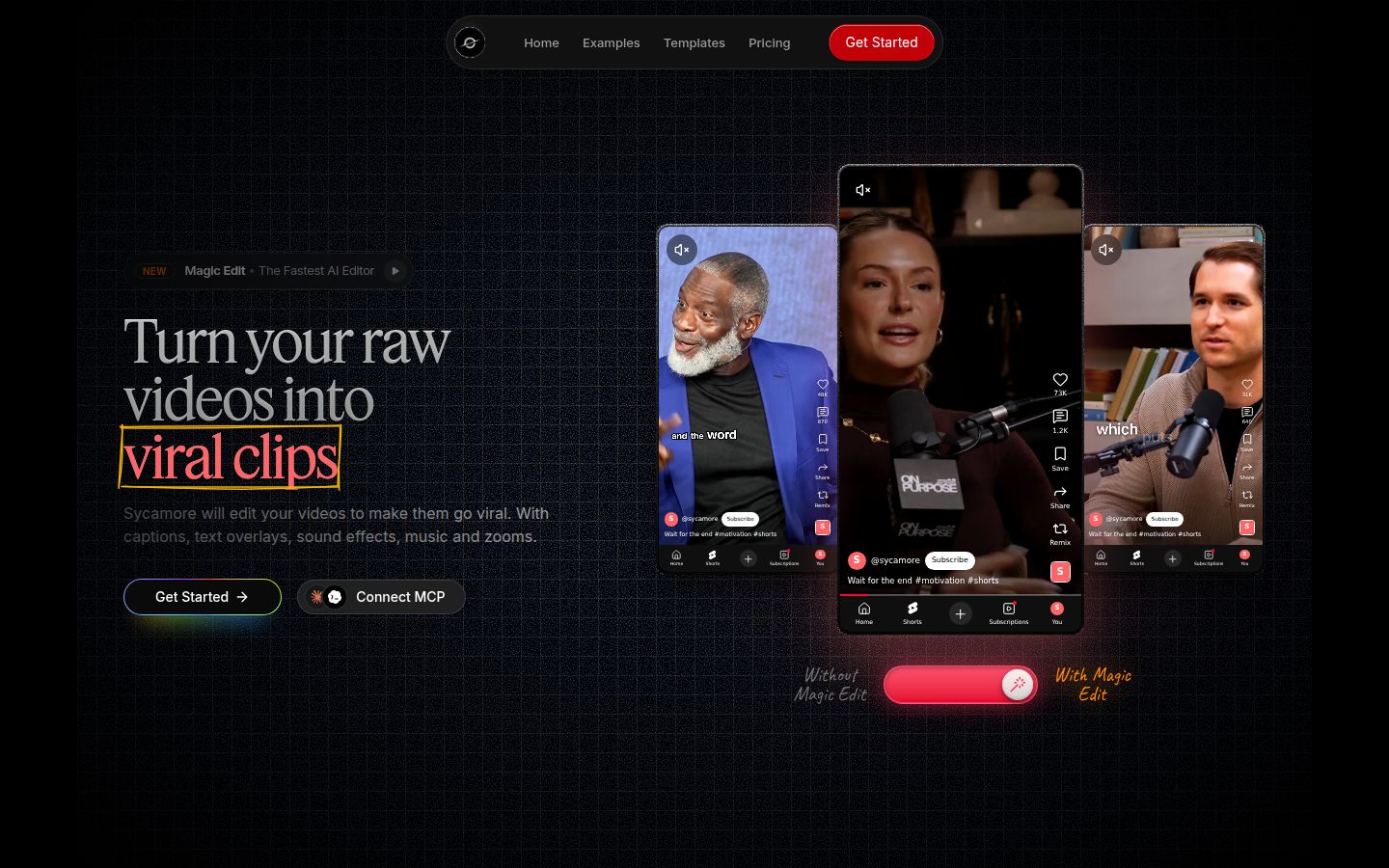
Sycamore is an AI video editor for talking-head videos. You upload raw footage of yourself talking, and Magic Edit turns it into a short-form edit built to hold attention. It cuts silences, filler words and dead air. Then it adds zooms and punch-ins, emphasis on the key lines, full-screen text cutaways for the big moments, numbers and lists on screen, and animated captions that appear word by word.
You pick one of four edit styles: Apollo, Hermes, Athena or Helios. You can switch styles without starting over. Then you review the edit before you export. The editor works in plain words instead of a timeline. Each line can be set to Normal, Emphasis, Full screen, Number, List or Label. Export is an MP4 in 9:16, 1:1 or 16:9.
Sycamore is the best fit for creators who want the finished edit, not a set of tools. If you film founder updates, coaching clips or lessons and post them to TikTok, Reels, Shorts or LinkedIn, you can get from raw file to a polished short without learning a timeline. The free plan gives you 10 minutes of video, once, with no card. Starter is $19 a month for 3 hours of video, and Growth is $39 a month for 10 hours, both without a watermark.
Two limits matter for this comparison. Transcription is English only. And Sycamore doesn't export SRT files, and it has no B-roll library, so if you need either, Gling or AutoCut is the better pick.
Editing: a plugin on your timeline or a transcript you cut from
AutoCut and Gling both remove silences, and both are quick at it. The difference is how much control you have while you work.
With AutoCut, you set the detection level, check the waveform and decide what happens to each silence. You can remove it, keep it, mute it or keep the gap. The cuts are regular edits on your timeline, so you can move, trim or undo any of them the way you would in Premiere or Resolve.
With Gling, you work from the transcript. Remove a sentence in the text and it comes out of the video. Filler words and bad takes are cut in the same pass. You don't need to know a timeline to use it, and the trade-off is that you give up some of the fine control that a timeline offers.
Sycamore goes one step further than cutting. Magic Edit also adds the zooms, emphasis and cutaways that make talking-head videos feel edited. In AutoCut, you add zooms with AutoZoom. In Gling, you get auto framing (zoom in and out) and AI B-roll.
Captions: editable clips, presets or a subtitle file
All three tools add captions. The difference is what you can do with them afterward.
AutoCut's captions sit on your timeline as editable clips. The Advanced mode has 90-plus presets for vertical video, and you can change the font, colors, animation and position. AutoCut also translates captions in the Advanced mode, if you need more than one language.
Gling's captions come with presets. You can start from a preset, customize a style and apply it to the whole project. You can export the video with the captions burned in, or export an SRT file. The SRT file won't keep the caption styling, so if you need the look and the file, export both and check them.
Sycamore's captions are animated and word-synced by default. You can edit any word, change fonts, colors, size and position, and save a look as a preset. Captions come as part of the edit, not as a separate file. Sycamore doesn't export an SRT file.
If you need a subtitle file for YouTube or a course platform, Gling is the better fit. If you want the captions to look like the finished edit and nothing more, Sycamore is simpler.
Pricing as of October 2026
Pricing is where the two tools differ most in shape. Gling charges by hours of footage. AutoCut charges a monthly or yearly subscription for a plugin.
Gling lists four plans on its pricing page. The free plan includes 1 hour a month, with a watermark on exports. Plus is $20 a month for 10 hours. Pro is $40 a month for 30 hours. Elite is $100 a month for 100 hours. Annual billing halves each price: Plus is $10 a month, Pro is $20 and Elite is $50. Per hour of footage, Plus works out to $2 a month or $1 a year, and Elite works out to $1 a month or $0.50 a year. The yearly price is the same product.
AutoCut lists two plans. Basic is $9.90 a month or $79 a year, and covers silence removal only. The AI plan is $19.80 a month or $178.80 a year, which is about $14.90 a month billed yearly. It has a 14-day free trial with no credit card. If you already pay for Premiere Pro, AutoCut is an addition to that cost. If you edit in DaVinci Resolve, Resolve's free version is a supported host.
Sycamore charges by minutes of video. The free plan is 10 minutes, one time. Starter is $19 a month for 3 hours, about $6.33 per hour. Growth is $39 a month for 10 hours, about $3.90 per hour. The plans are simple, and uploads go up to 2 hours each.
On price per hour of footage, Gling on an annual plan is the lowest of the three. If you produce a lot of footage every month, the Elite or Pro annual plan is the number to compare. Gling's allowance counts hours of edited media, or words of video generated from a link, or a mix of both. Check how much footage you send through it each month before you pick a plan.
Ease of use: a timeline, a transcript, or a plain-words editor
The learning curve depends on what you already know.
AutoCut asks you to know a timeline. You open it from the extensions menu in Premiere or Resolve, pick a section of the timeline, validate the audio tracks and run the tool. That's simple if you already edit, and a bigger step if you don't.
Gling is the easiest of the three to start with if you've never edited. The transcript is the main view, and most of the work is deleting or rearranging text. The review pass is the part to budget time for.
Sycamore uses plain-words lines instead of a timeline. You set each line to Normal, Emphasis, Full screen, Number, List or Label, and you can change the edit style at any point. Nothing needs installing, and it works in a phone's browser, although it's a web app and not a mobile app.
Output: where your finished video ends up
Where the edit lands depends on the tool.
AutoCut's output stays in your editor. You export from Premiere or Resolve the way you always do, and you keep every clip editable. That suits editors who finish in a timeline and want the captions and zooms on the timeline too.
Gling exports an MP4 or MP3 from its own editor. On paid plans, it also exports an XML file for Premiere, Final Cut or Resolve, so you can finish the cut there. The free plan exports with a watermark and doesn't include the XML export.
Sycamore exports an MP4 in 9:16, 1:1 or 16:9. You don't need a second editor, which is the point of the tool, and it's also the limit: if you need to edit the cut in another program, the Sycamore export is the end of the chain.
Which one should you pick
Pick AutoCut if you already cut in Premiere Pro or DaVinci Resolve. You get silence removal, captions, zooms, chapters and multicam editing as tools inside the timeline you know. Start the 14-day trial on your own footage. If you only need silence removal, the Basic plan at $79 a year covers it. If you don't use Premiere or Resolve, AutoCut won't fit, and Gling or Sycamore is the better pick.
Pick Gling if you want a standalone editor and a low cost per hour. It's the easiest to start with, the free plan lets you try it on a real video, and annual billing makes the Plus and Elite plans very cheap per hour of footage. It also exports an SRT subtitle file, which Sycamore doesn't. Choose Gling if you want a free start or a subtitle file. Choose AutoCut instead if you'd rather control every cut on a timeline.
Pick Sycamore if you want a finished short from raw footage without a timeline. It's the fastest route from a raw recording to a polished vertical video, with zooms, emphasis, cutaways and captions added for you. Start with the free 10 minutes, with no card. It's a good fit for English-language founders, coaches and educators who post to TikTok, Reels, Shorts and LinkedIn. If you need a subtitle file, B-roll, a non-English transcript or a mobile app, Gling or AutoCut is the better choice for that job.
If you're still deciding, the free options are the fastest test. Run the same raw video through the free plan of each tool and watch the result. The one you'd rather edit from is the one to keep.
For more options, see Best Gling Alternatives or How to Edit Talking-Head Videos.
FAQ
Is AutoCut a standalone app?
No. AutoCut is a plugin that runs inside Adobe Premiere Pro or DaVinci Resolve on Mac and Windows. You need one of those editors installed to use it.
Does Gling have a free plan?
Yes. Gling's free plan includes 1 hour of AI-edited media a month and exports with a watermark. Export to Premiere, Final Cut or Resolve needs a paid plan.
Is AutoCut free to try?
AutoCut offers a 14-day free trial with no credit card. Its AI plan is $19.80 a month or $178.80 a year, and its Basic plan covers silence removal only.
Which is cheaper, AutoCut or Gling?
It depends on how much footage you cut. Gling's annual Plus and Elite plans work out to about $1 and $0.50 per hour of footage. AutoCut is a flat subscription, so it costs the same whatever your footage volume.
Can Sycamore export SRT subtitle files?
No. Sycamore exports an MP4 with captions built in, in 9:16, 1:1 or 16:9. It doesn't export SRT files, and its transcription is English only.
Which tool gives me a finished short without a timeline?
Sycamore's Magic Edit is built for that. It cuts silences and filler words, then adds zooms, emphasis, cutaways and captions in one pass, and you review the edit before export.